
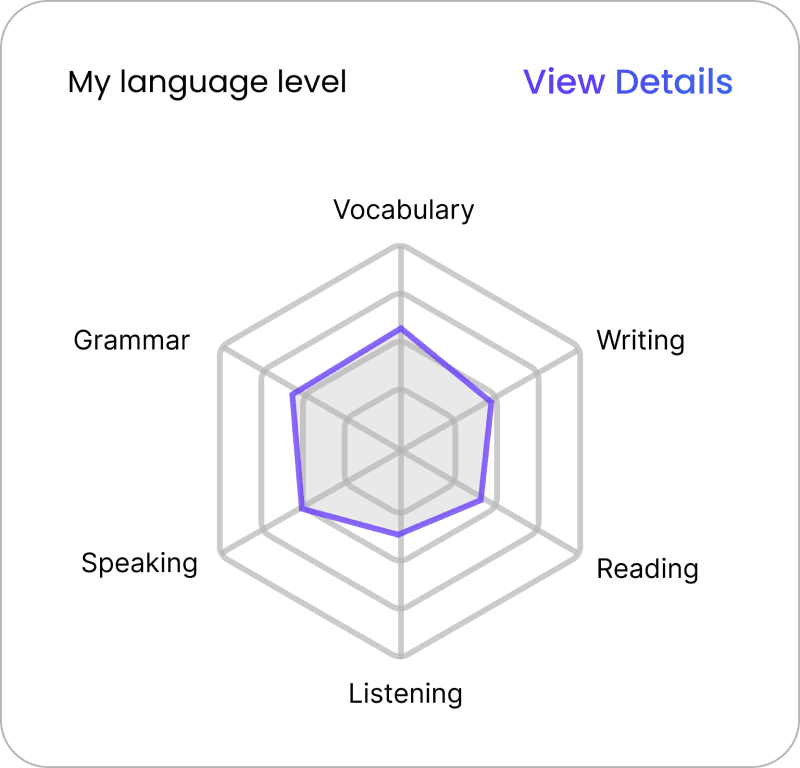
My language level
View Details
Vocabulary
Grammar
Speaking
Listening
Reading
Writing
Welcome Back, Amanda!
0/2
Start today’s first conversation
Review a topic
M
T
W
T
F
4 day streak
650 LG
i

TOPIC
Travel and Directions
Current Lesson: Subway
20%
35 min left
Resume Conversation
An AI-powered English learning chatbot for non-native speakers, providing personalized support from general proficiency to standardized test prep through conversational AI and scaffolded learning pathways.
Year
2024
Company
Articulate.AI
My Role
Founding Product Designer
Conversation Designer
Target Users
Adult English learners
aiming for skill growth and exam success
Team
CEO
Front-end Engineers
AI & Learning Scientists
Product Designer
Overview
Key Contributions
Founding Product Designer, Leading 0–1 Product Design
As the sole designer on the team, I owned and led EduBot’s 0-1 product design and end-to-end experience architecture.
01
Research & ideation
02
Adaptive conversational UX
03
UI & Interaction design
04
Experience architecture
05
Cross-functional collaboration
06
Developer handoff & delivery

Outcome
Enabling More Effective and Confident Language Learning
EduBot enabled learners worldwide to build confidence in real-life English conversations through adaptive, personalized practice.

0+
0+
registered users within the first week across 100+ countries.
0%
0%
would recommend EduBot to others.
0%
0%
feel more confident in their English skills after using EduBot in conversation practice
0.0/5
0.0/5
usefulness rating based on participant feedback using a 5-point likert scale
Current Situation
Limitations of Today’s English Learning Experience
Adult English learning today is largely structured around fixed lessons and predefined curricula. Most learning experiences are linear and content-driven, offering limited flexibility for learners to practice based on their immediate needs or real-life situations.

01
Grammar-heavy learning
02
One-size-fits-all curricula
03
Limited speaking practice
04
Low real-life exposure
Target Users
Adult English Learners Aiming For Skill Growth And Exam Success
EduBot is designed for adult English learners who need flexible, low-pressure ways to practice English for real-life use and test preparation.
📍
France
Emma
Age:
32
Works at a multinational company and has been internally transferred to the U.S. for a new role.o
Goals
01
Real-life conversation readiness
02
Lower speaking anxiety at work

📍
Turkey
Jason
Age:
23
Plans to study in the U.S. and needs to pass an English proficiency exam such as TOEFL.
Goals
01
26+ Score–Targeted Speaking Practice
02
Motivating practice toward higher test scores

Design Challenge
Moving Beyond Standardized Language Learning
After understanding the context and stakeholder needs, I defined a design challenge that aligned the team and guided future design decisions.
How might we design a flexible, chat centered learning platform that supports both real life English and academic test prep, while making the experience feel conversational, motivating, and personalized?
Solution
Adaptive Language Practice Through AI-Powered Chat
A personalized AI language tutor that lets learners choose real-life scenarios to practice through adaptive dialogue and varied learning activities, via typing or speaking.


Key Challenges & Design Responses
What I Did
Drove Product from Insight to Interface
Through research and analysis, I defined the core challenges and led the design strategy—conceptualizing core features and turning them into fully realized interactions and interface designs.
Challenge & Response 1

Difficulty Sustaining Motivation Without Visible Progress
Learners often lose motivation because their learning feels repetitive and boring. They also cannot clearly see or feel their progress, which makes it hard to stay consistent with daily practice.

A dashboard To Track Progress And Support Motivation
Learners often lose motivation because their learning feels repetitive and boring. They also cannot clearly see or feel their progress, which makes it hard to stay consistent with daily practice.
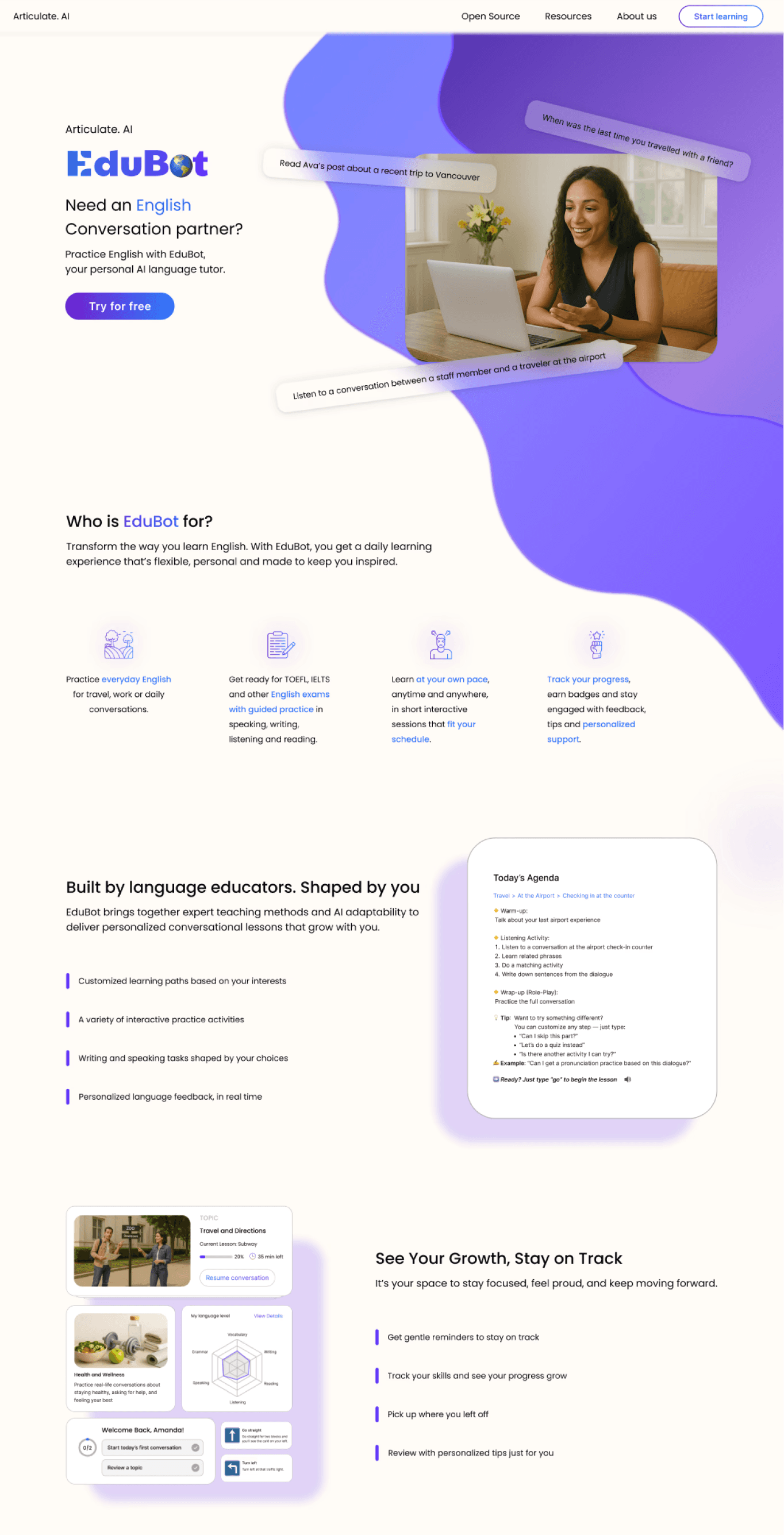
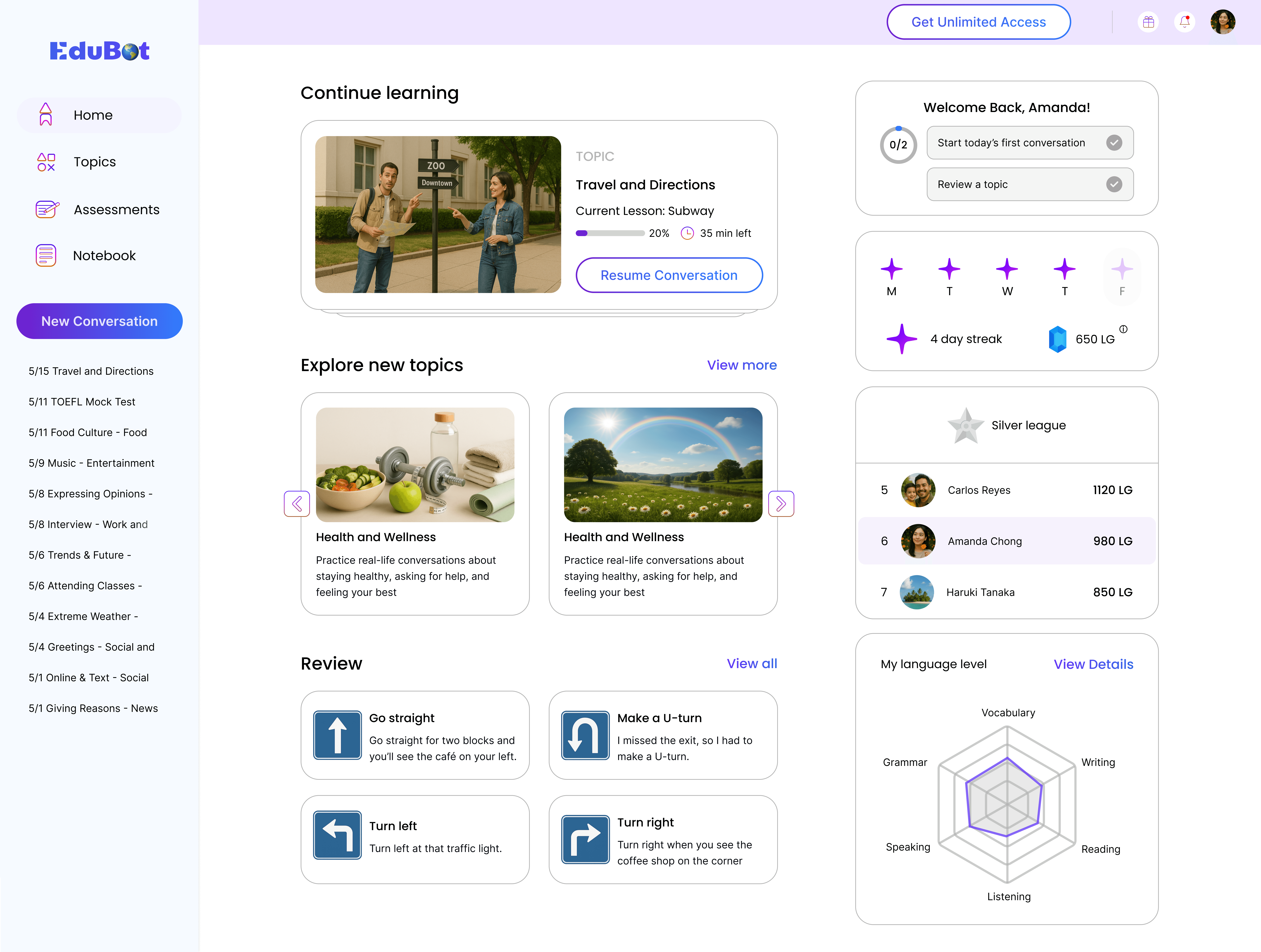
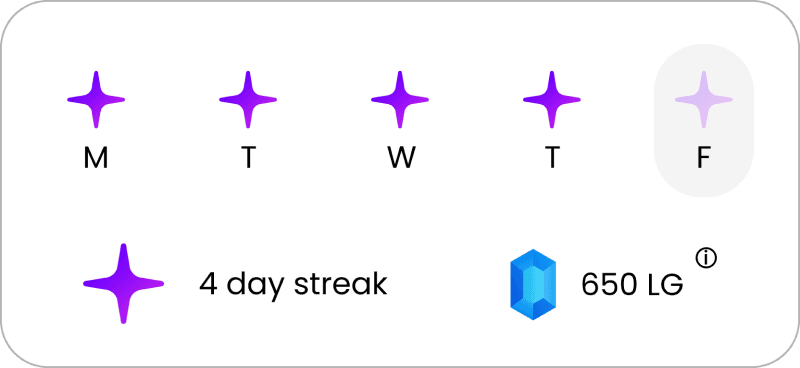
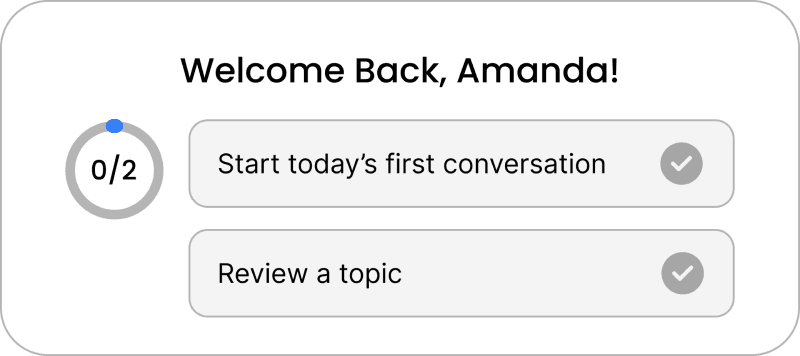
Dashboard
Makes Progress Visible and Motivation Sustainable
The dashboard surfaces learning progress over time, helping learners stay motivated through visible daily practice.


TOPIC
Travel and Directions
Current Lesson: Subway
20%
35 min left
Resume Conversation

Health and Wellness
Practice real-life conversations about staying healthy, asking for help, and feeling your best

Health and Wellness
Practice real-life conversations about staying healthy, asking for help, and feeling your best
Challenge & Response 2
One-Size-Fits-All Content And Feedback
Traditional classrooms often follow a one-size-fits-all approach. They deliver the same content, pace, and feedback to every student, leaving little room for personal goals, preferences, or learning styles.
Topic-Based Learning With Customizable Activities
EduBot replaces one-size-fits-all learning with a flexible, topic-driven approach, where learners choose relevant real-world scenarios, customize activities, and adapt the flow to their goals and interests.
How to start a lesson?
Step 1 : Choose A Topic
Learners begin by selecting a topic area that matches their goals.


How to start a lesson?
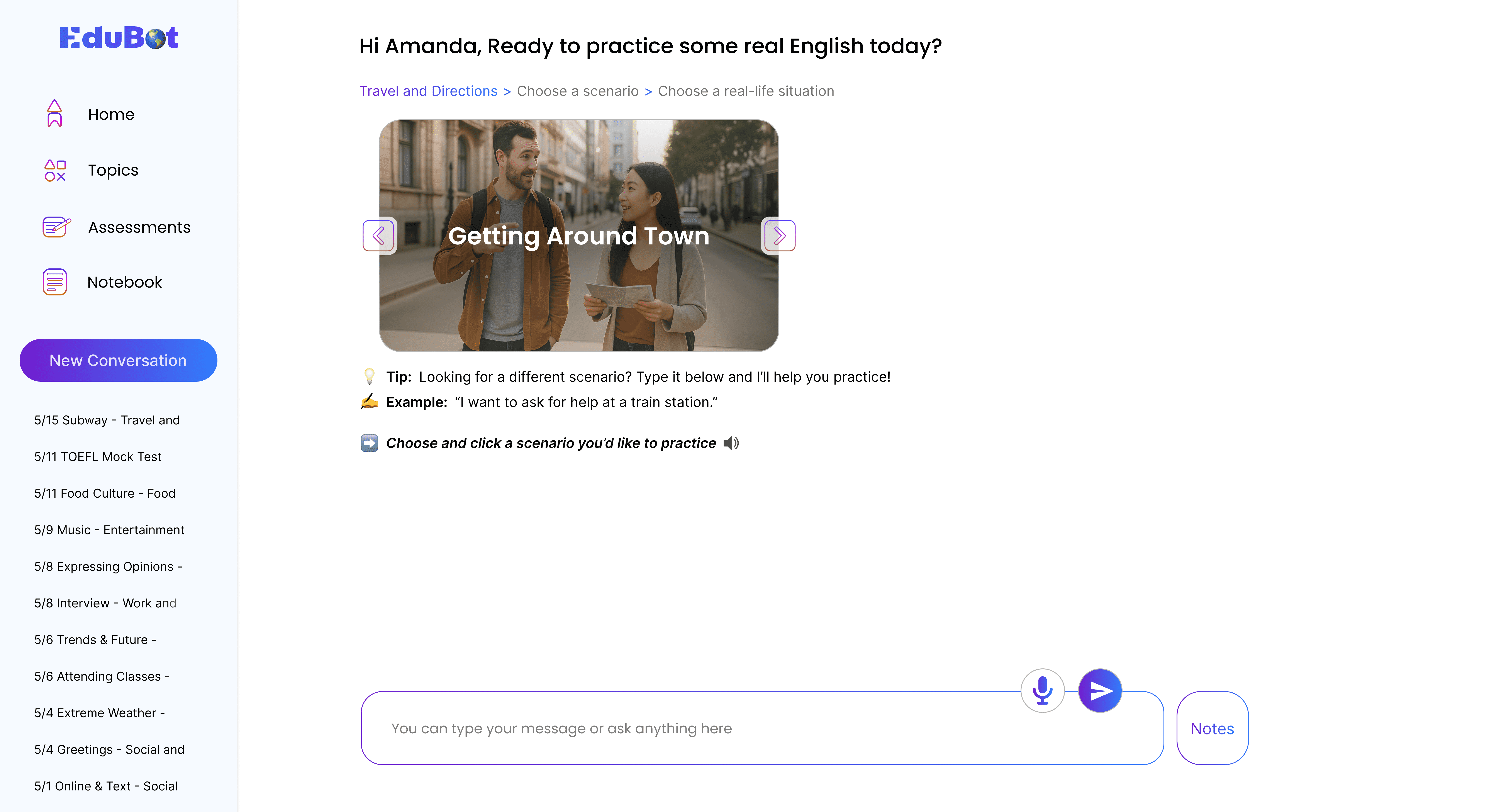
Step 2 : Choose A Scenario And A Real-Life Situation
This step helps learners move from a general context to a specific situation for focused practice.




How to start a lesson?
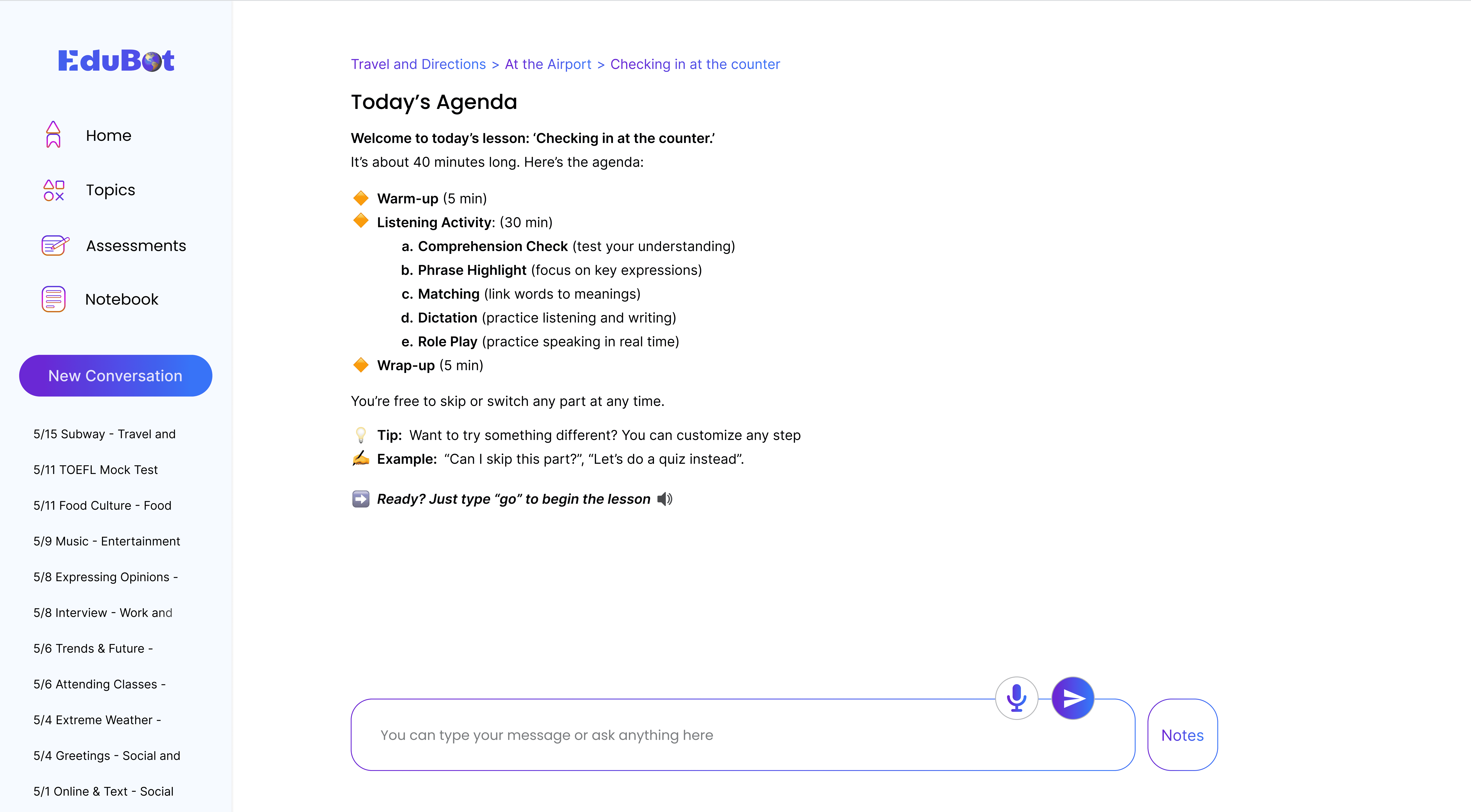
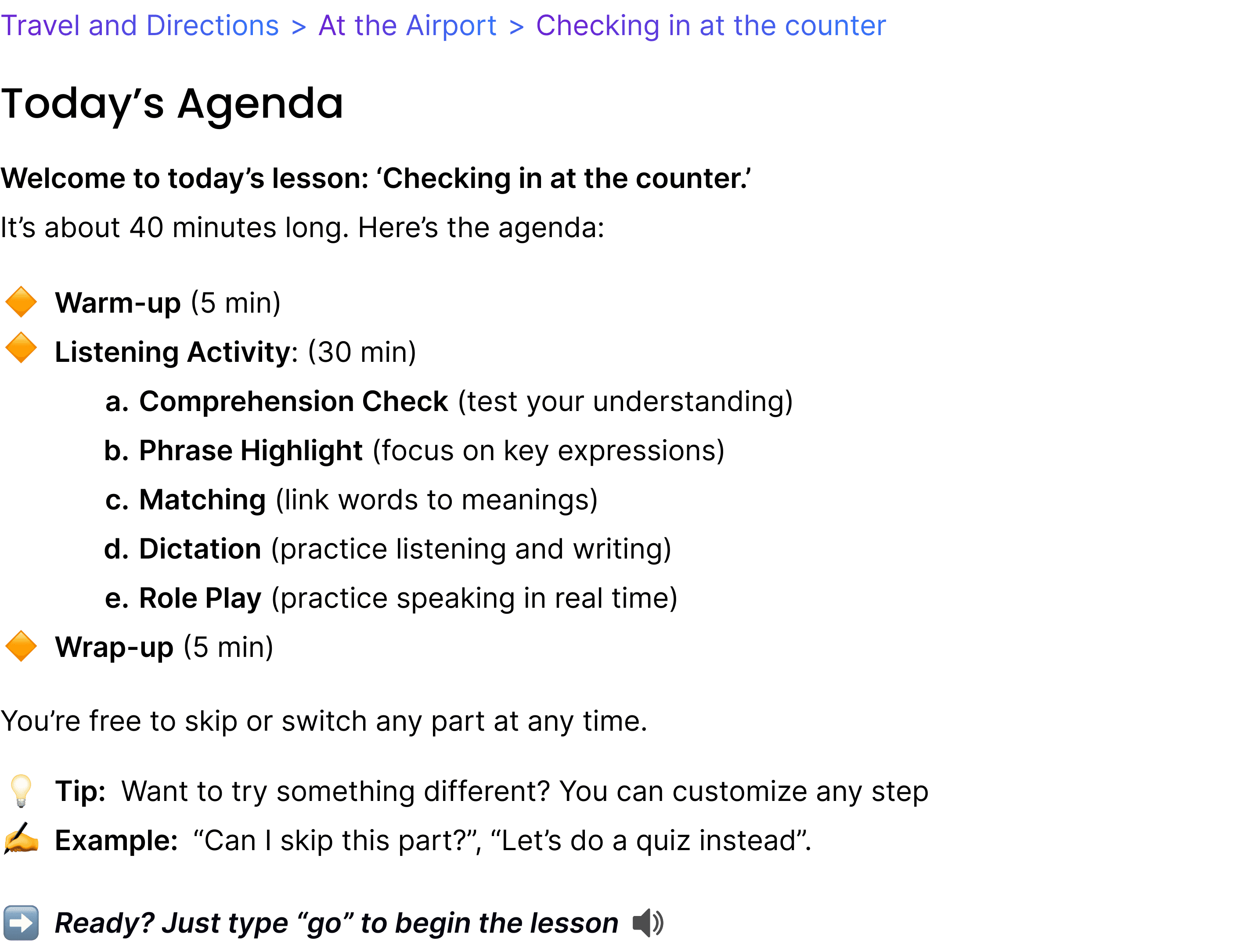
Step 3 : Review the Agenda and Customize Leaning Activities (Optional)
Learners review a suggested practice agenda and can optionally customize activities before starting.
Challenge & Response 3
Limited Real-Life Practice Makes It Hard To Speak With Confidence
Learners often lack consistent access to real English environments. Limited everyday practice leaves them unprepared and nervous, especially with native speakers, making it harder to build confidence, fluency, and natural responses in real conversations.
Practice Speaking Anytime with Real-Life Scenarios and Helpful Feedback.
EduBot creates an immersive practice environment where users can speak naturally during any part of the conversation. Real-life scenarios and activities like role plays support spontaneous speaking, while built-in feedback helps users improve over time.
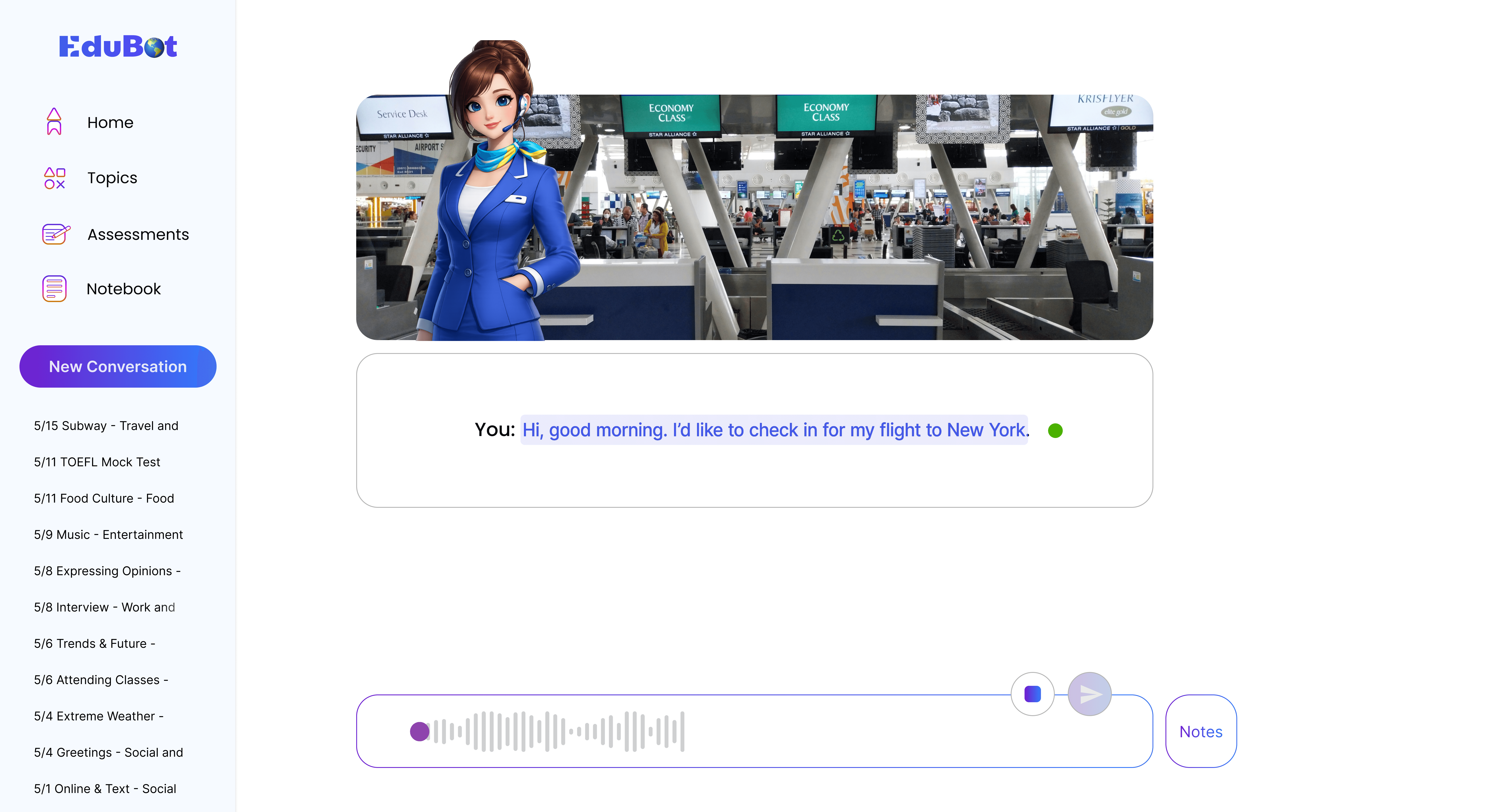
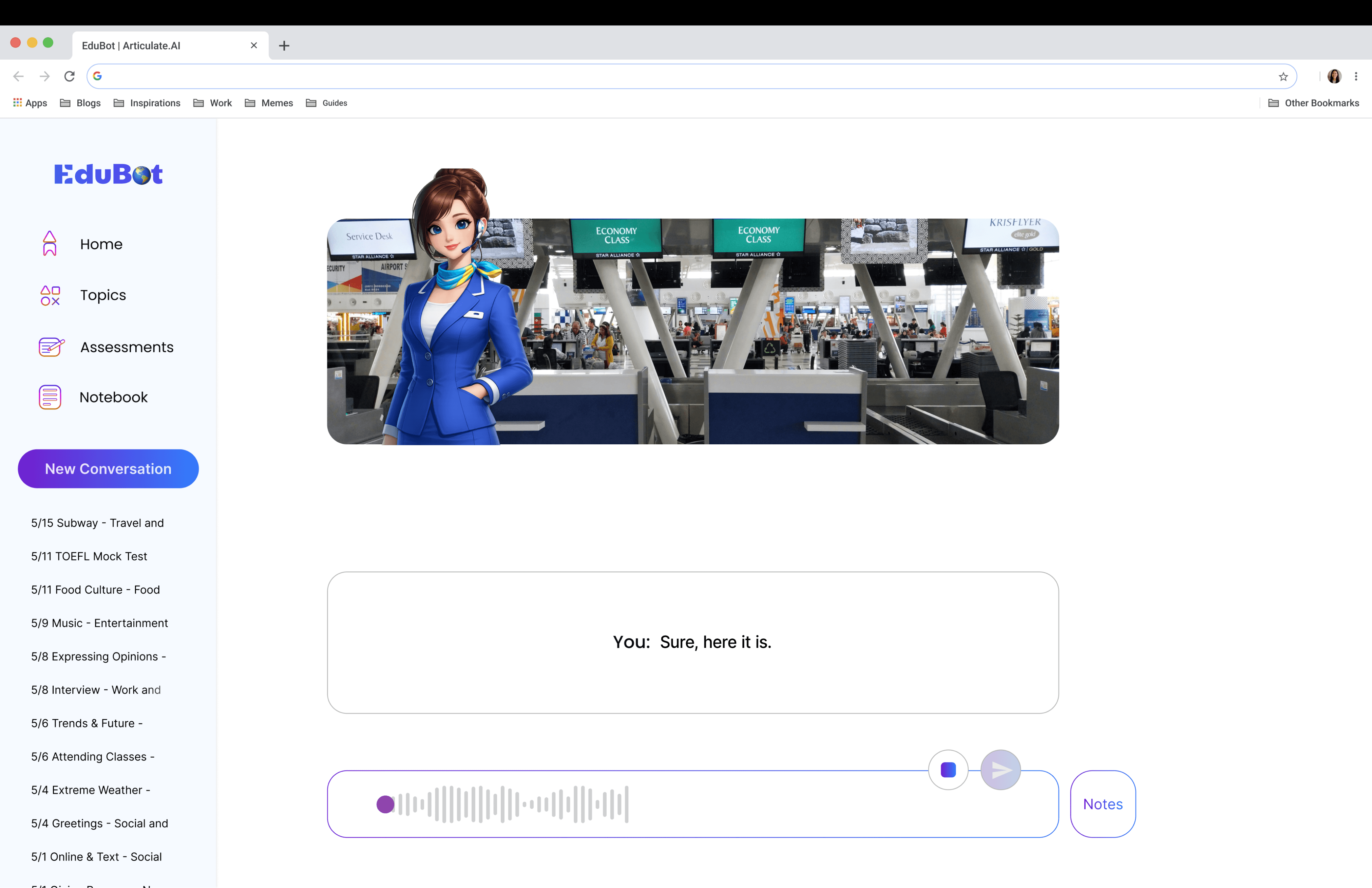
Role-Play Activity
Step Into a Real-Life Situation and Start Speaking
After exploring a scenario through listening and vocabulary activities, learners complete a speaking role-play with EduBot to simulate real conversations and get targeted feedback on pronunciation and fluency.


You:

Design Process
What I Did
Drove Product from Insight to Interface
Through research and analysis, I defined the core challenges and led the design strategy—conceptualizing core features and turning them into fully realized interactions and interface designs.
User Research & Findings
Understanding Learners and Chatbot as Language Teachers
I created a user research plan and interviewed and observed adult English learners. I facilitated an affinity diagramming session with stakeholders, synthesized the data into key findings, and translated insights into design opportunities.
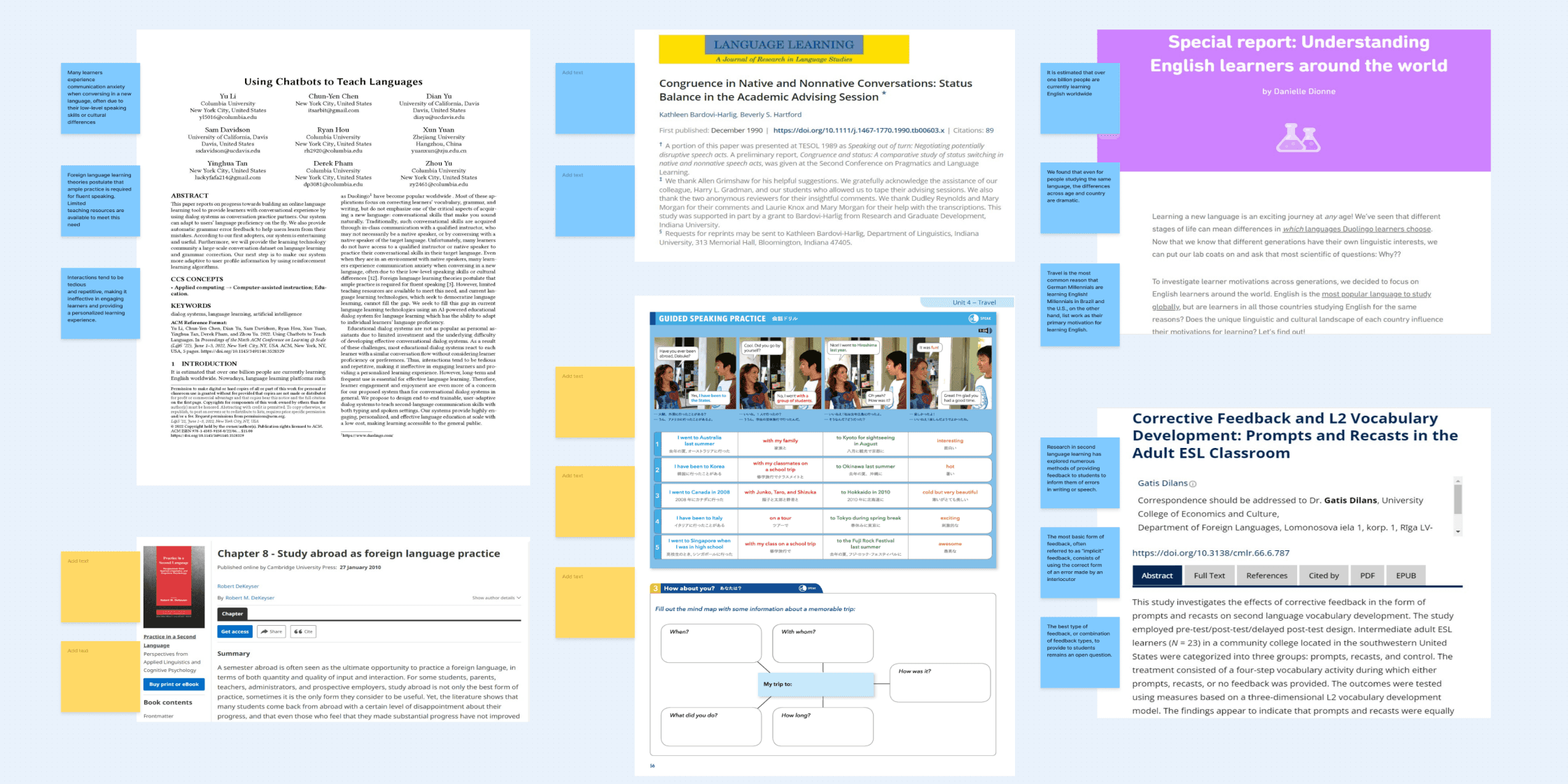
Literature Review
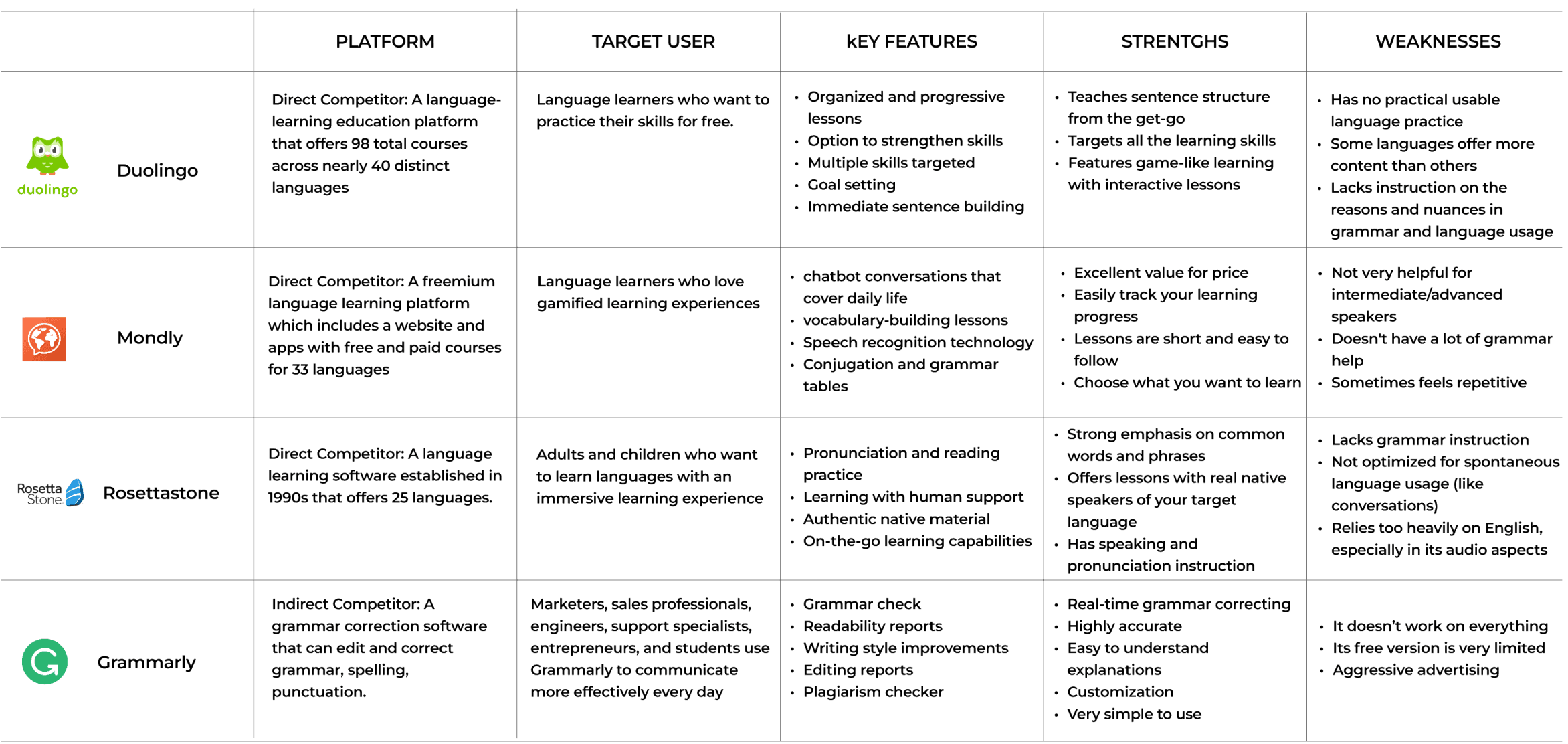
Competitive Analysis
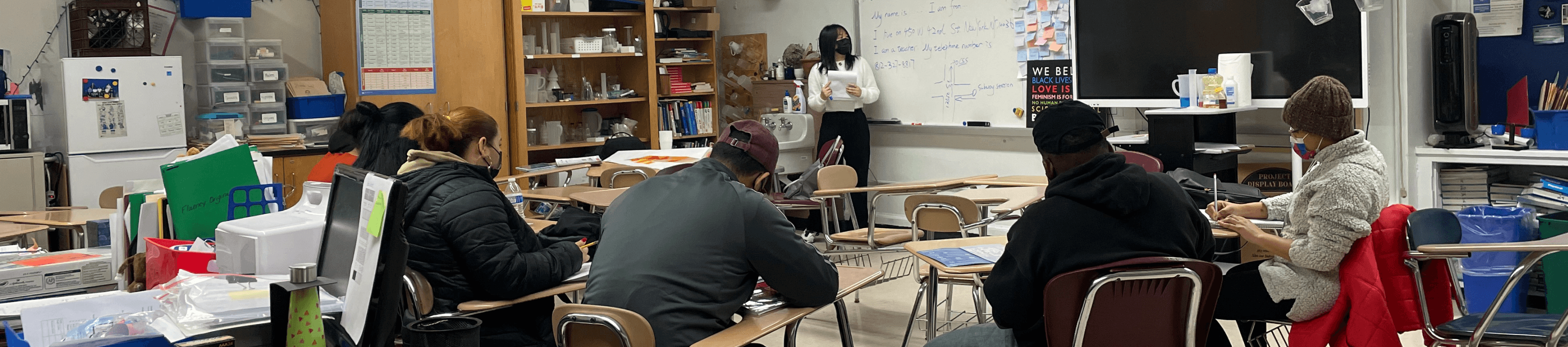
Field Observation + Semi-Structured Interviews

01
Learners struggle to stay motivated when progress feels invisible.
02
Practice often feels fragmented without clear continuity.
03
One-size-fits-all content does not align with diverse learning goals.
04
Learners are more engaged when they can choose relevant topics and activities.
Ideation
Sketches
I translated the design principles into brainstorming sketches and presented them to stakeholders for feedback and alignment.
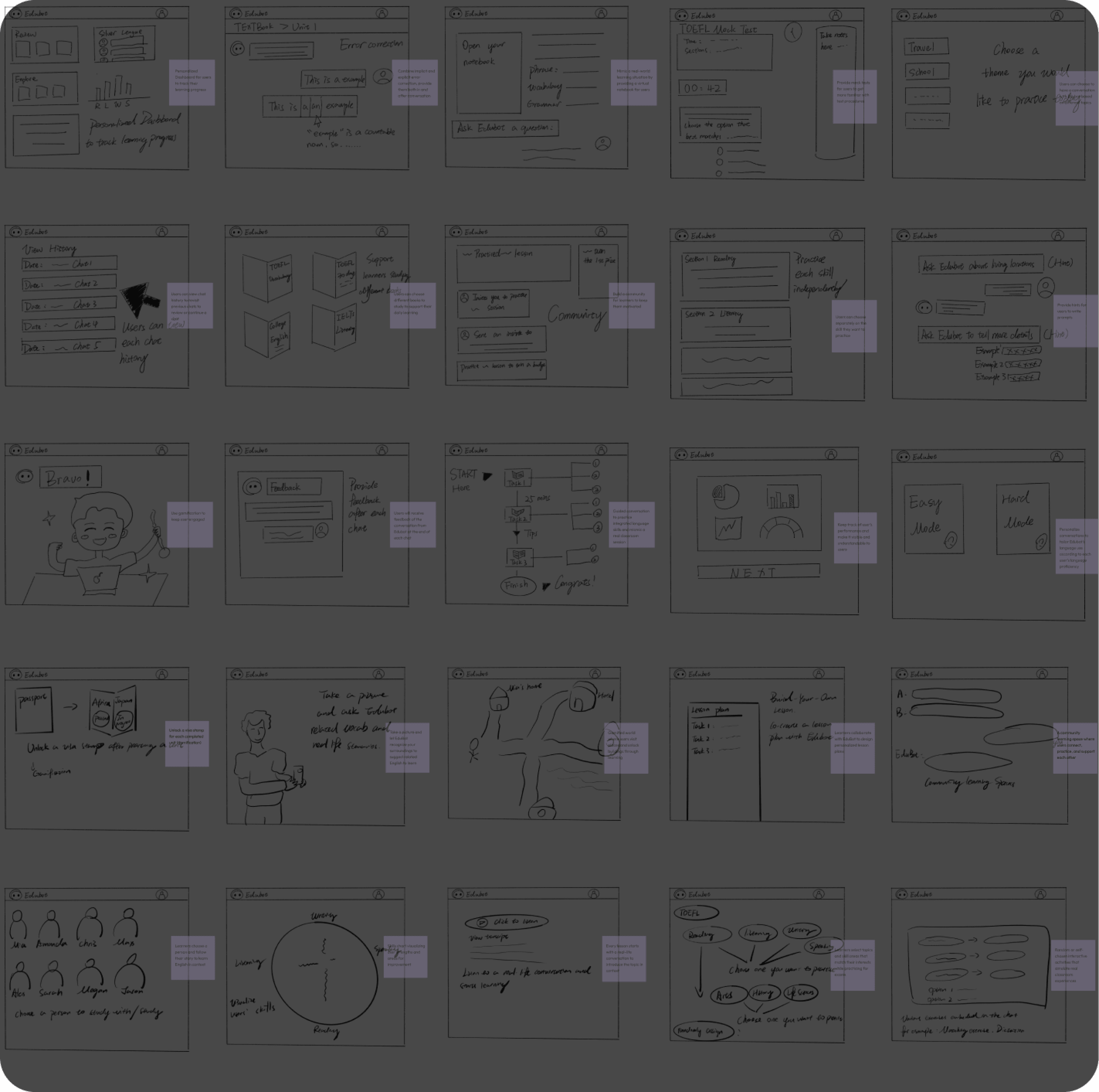
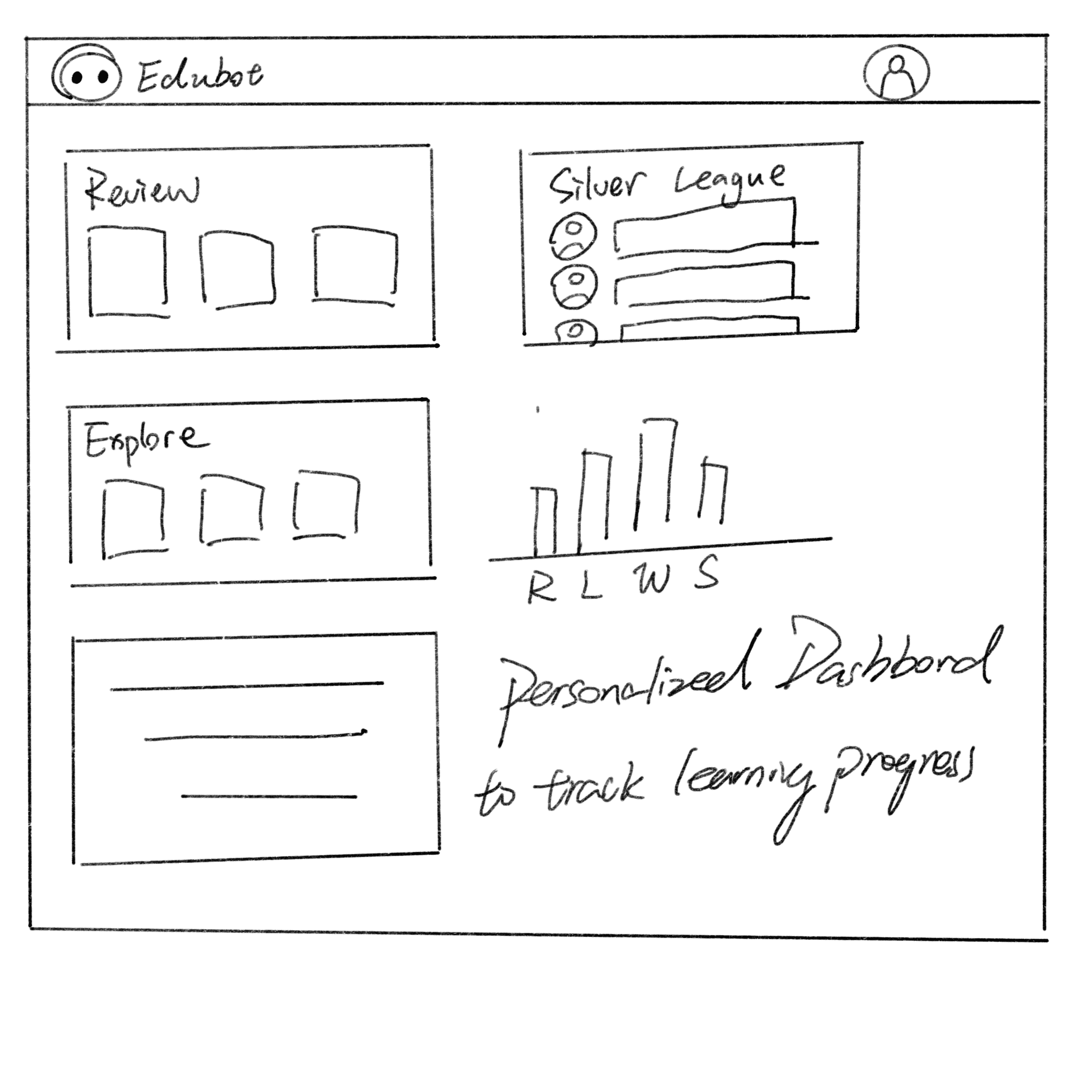
Personalized Dashboard for users to track their learning progress
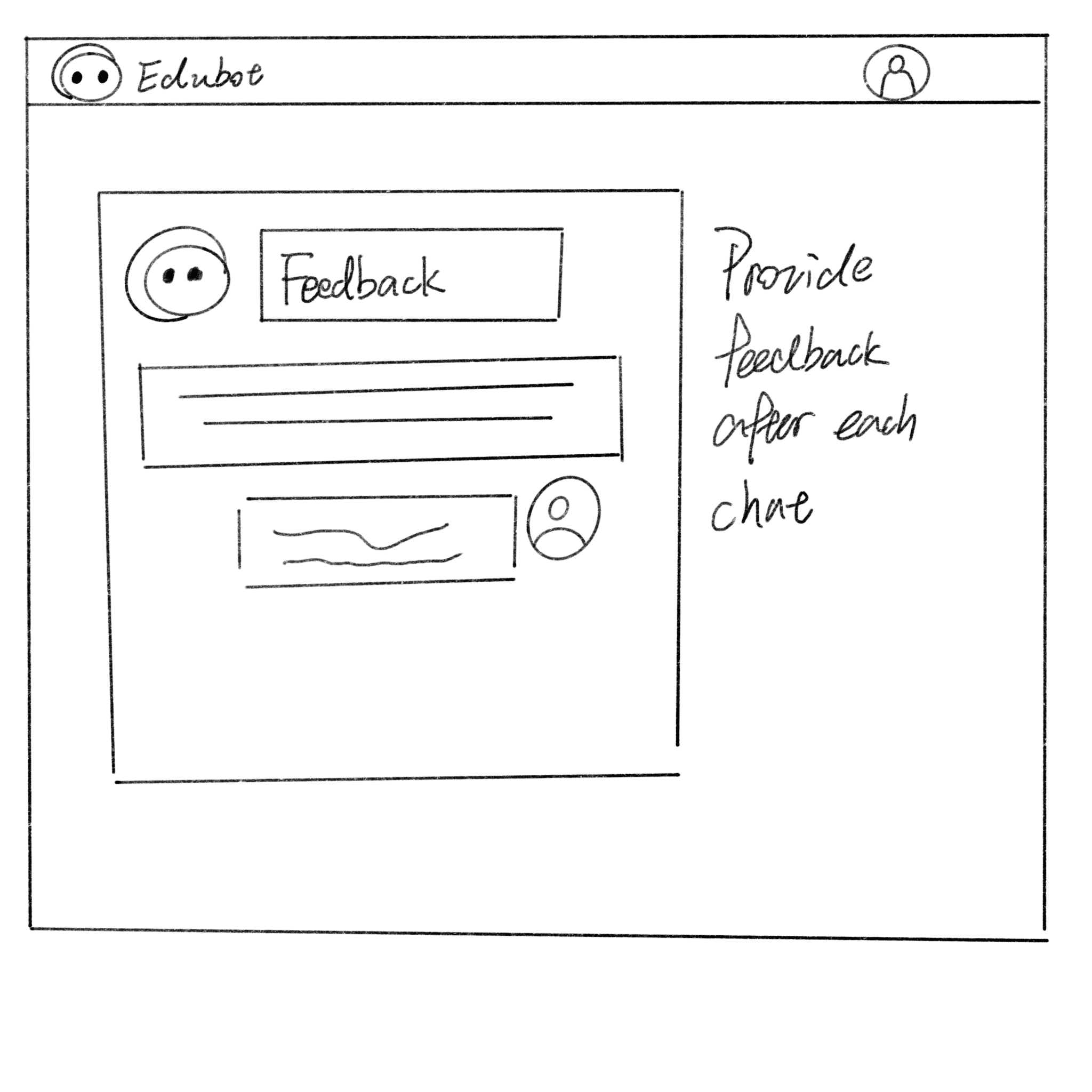
Users will receive feedback of the conversation from EduBot at the end of each chat
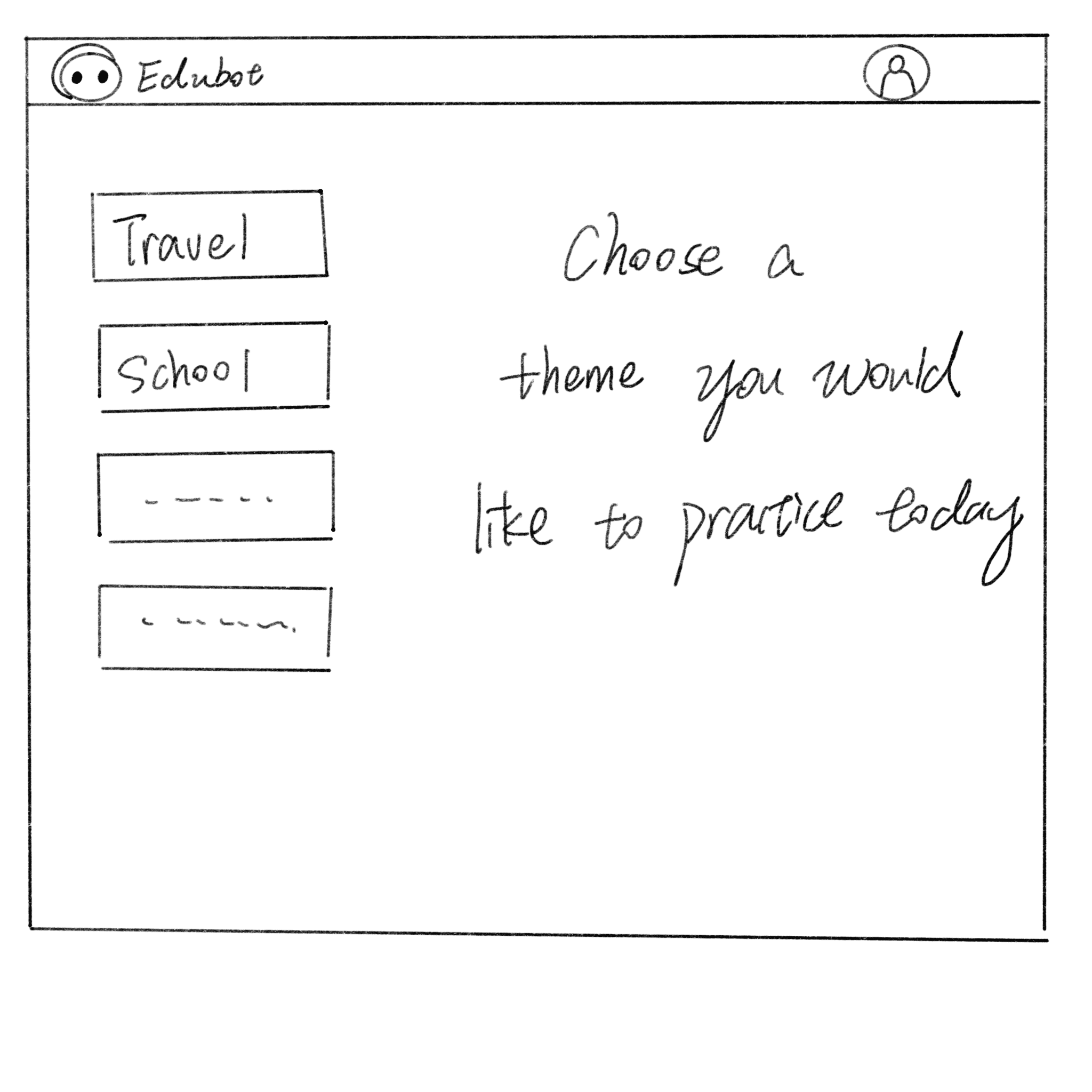
Users can choose to have a conversation with EduBot based on different topics
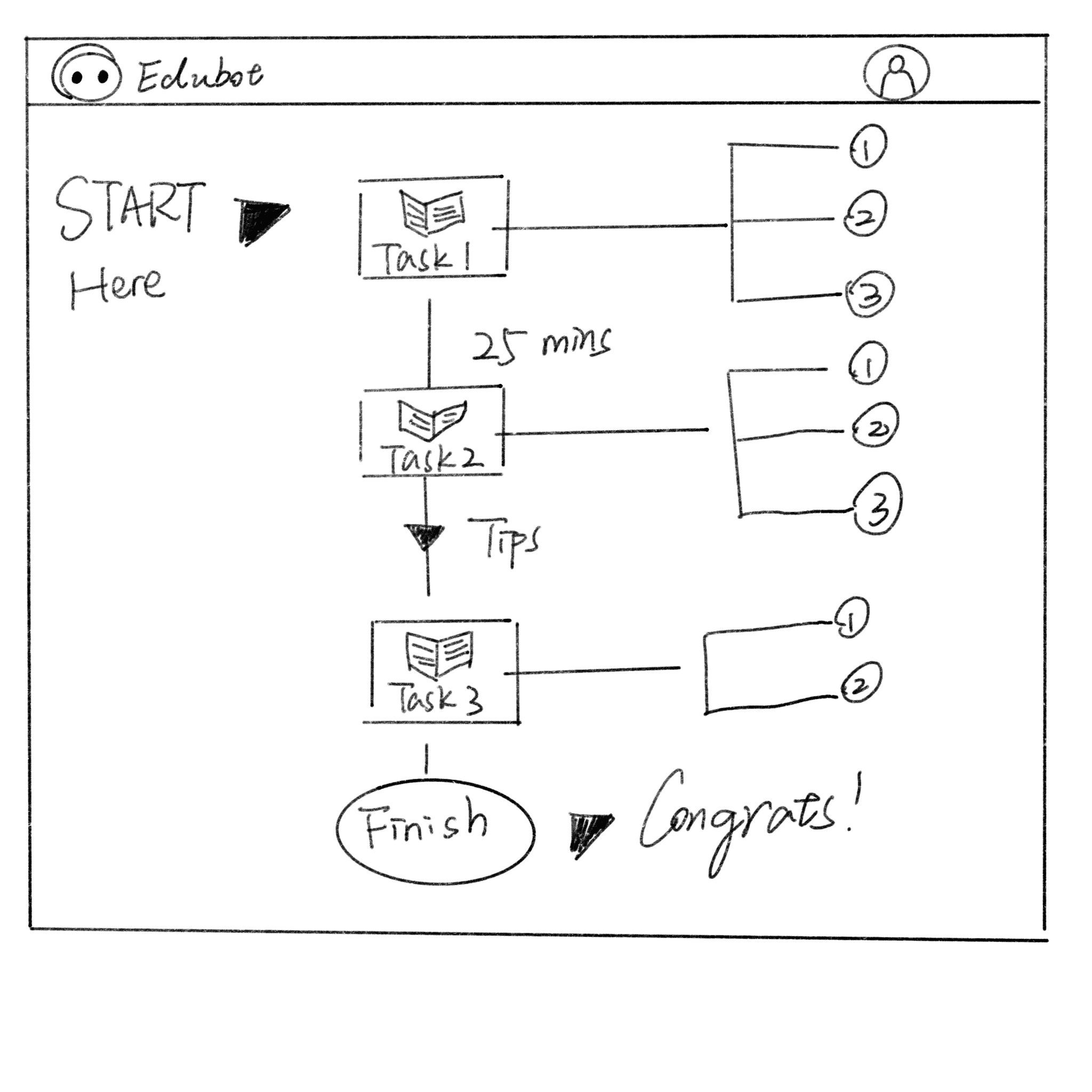
Guided conversation to practice integrated language skills and micmic a real classroom session
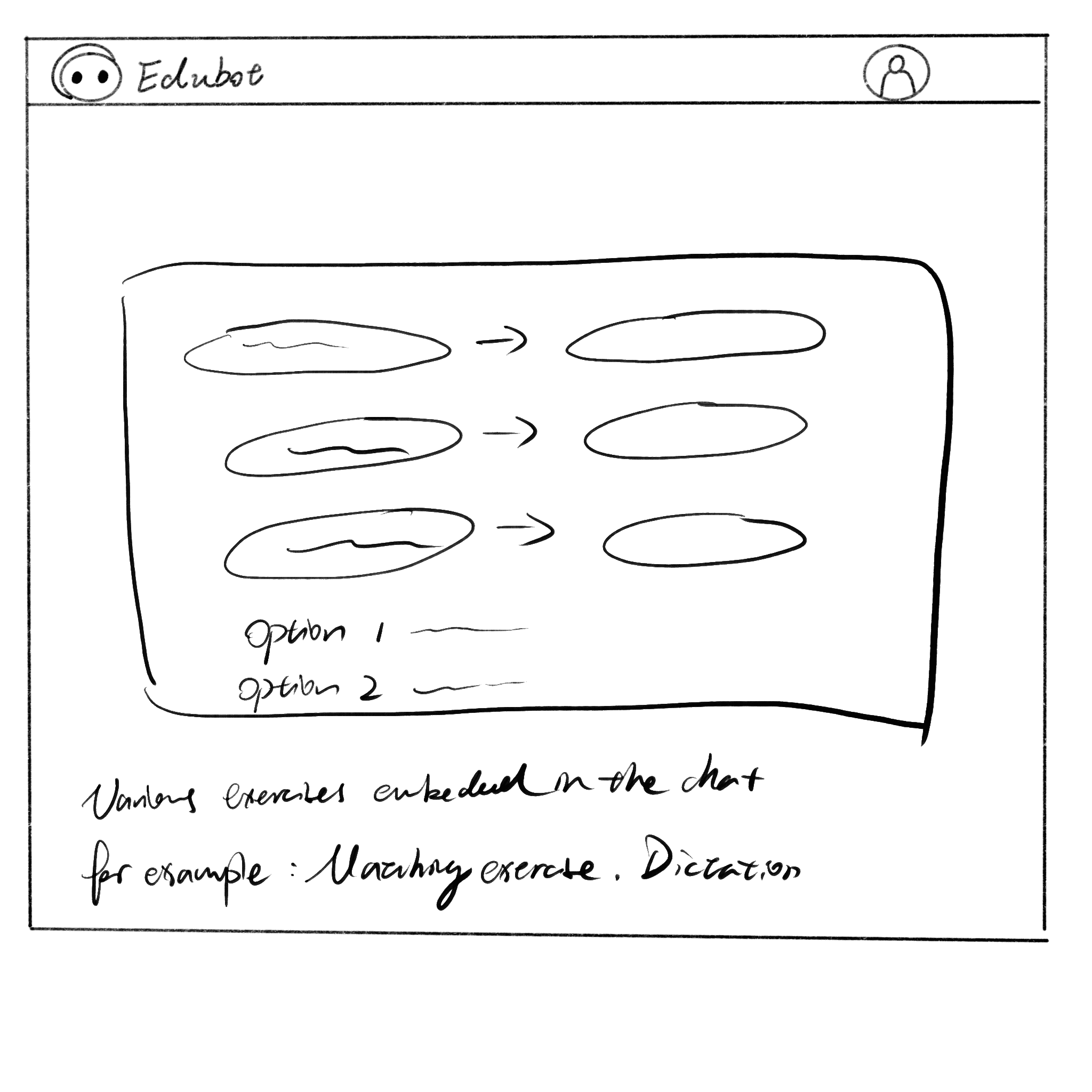
Random or self-chosen interactive activities that simulate real classroom experiences
Ideation
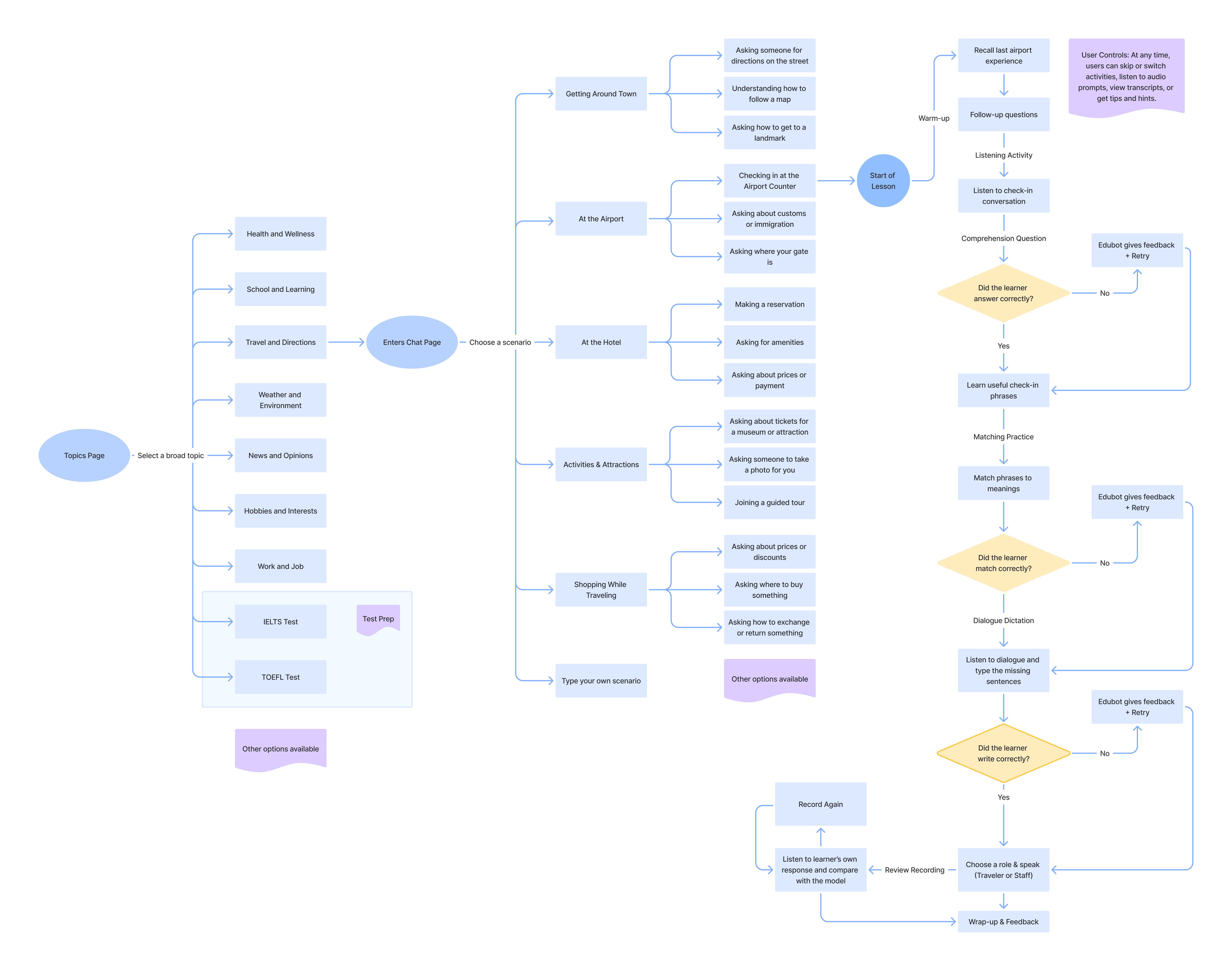
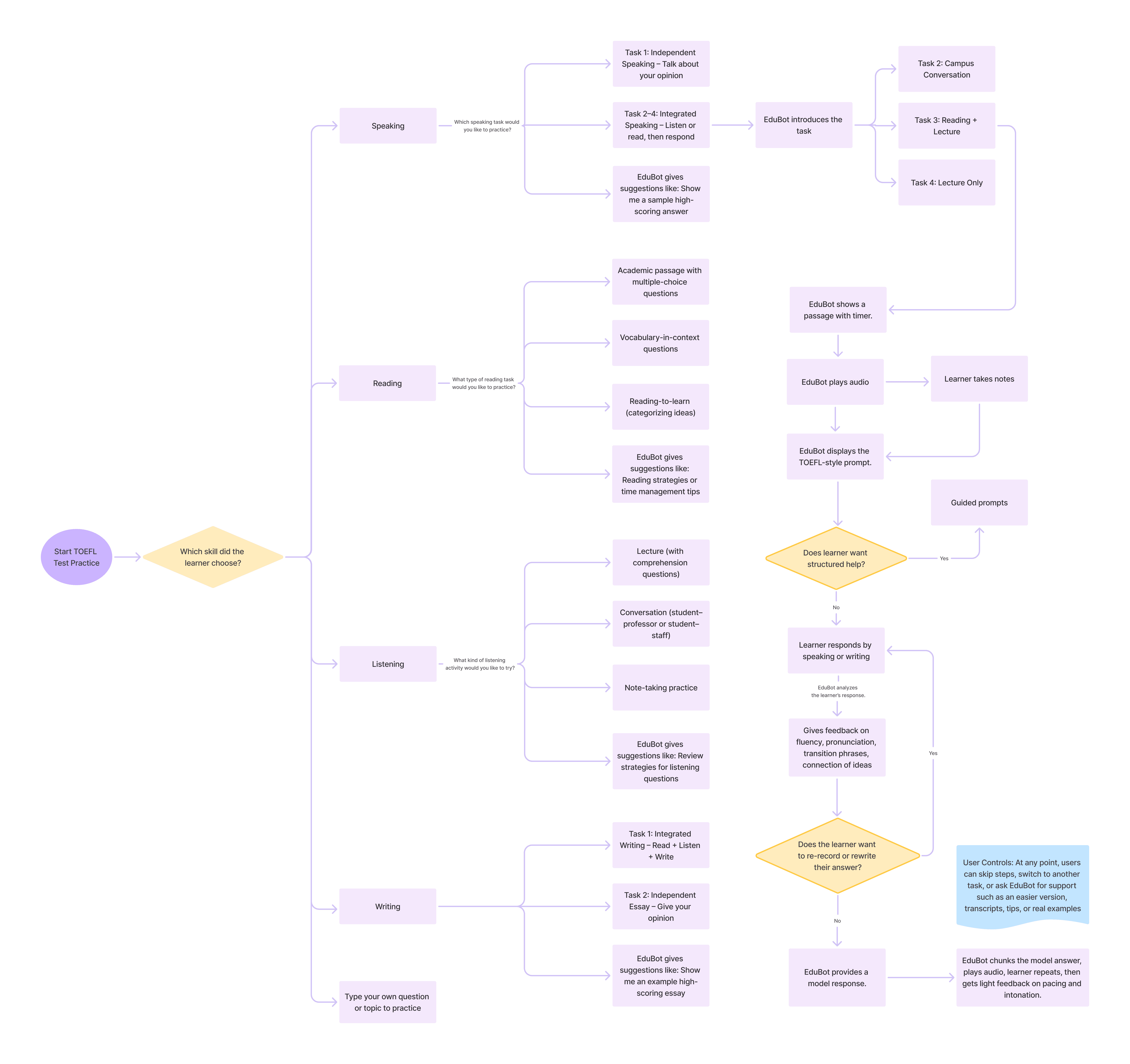
Conversation Flow Iterations
I led the design and iteration of conversation flows, using concept testing to shift from a fixed, linear structure to flexible practice paths aligned with learners’ goals.
Iteration 1 : Linear Sequence

Concept Testing Findings:

01
Practicing all 4 skills in one topic was overwhelming.
02
Topics were engaging, but learners wanted more depth and real-life scenarios.
03
Desire for flexibility to choose or switch skills during a session.
Iteration 2 : Topic Focused Practice Flow
Iteration 2 : Exam Focused Practice Flow
Ideation
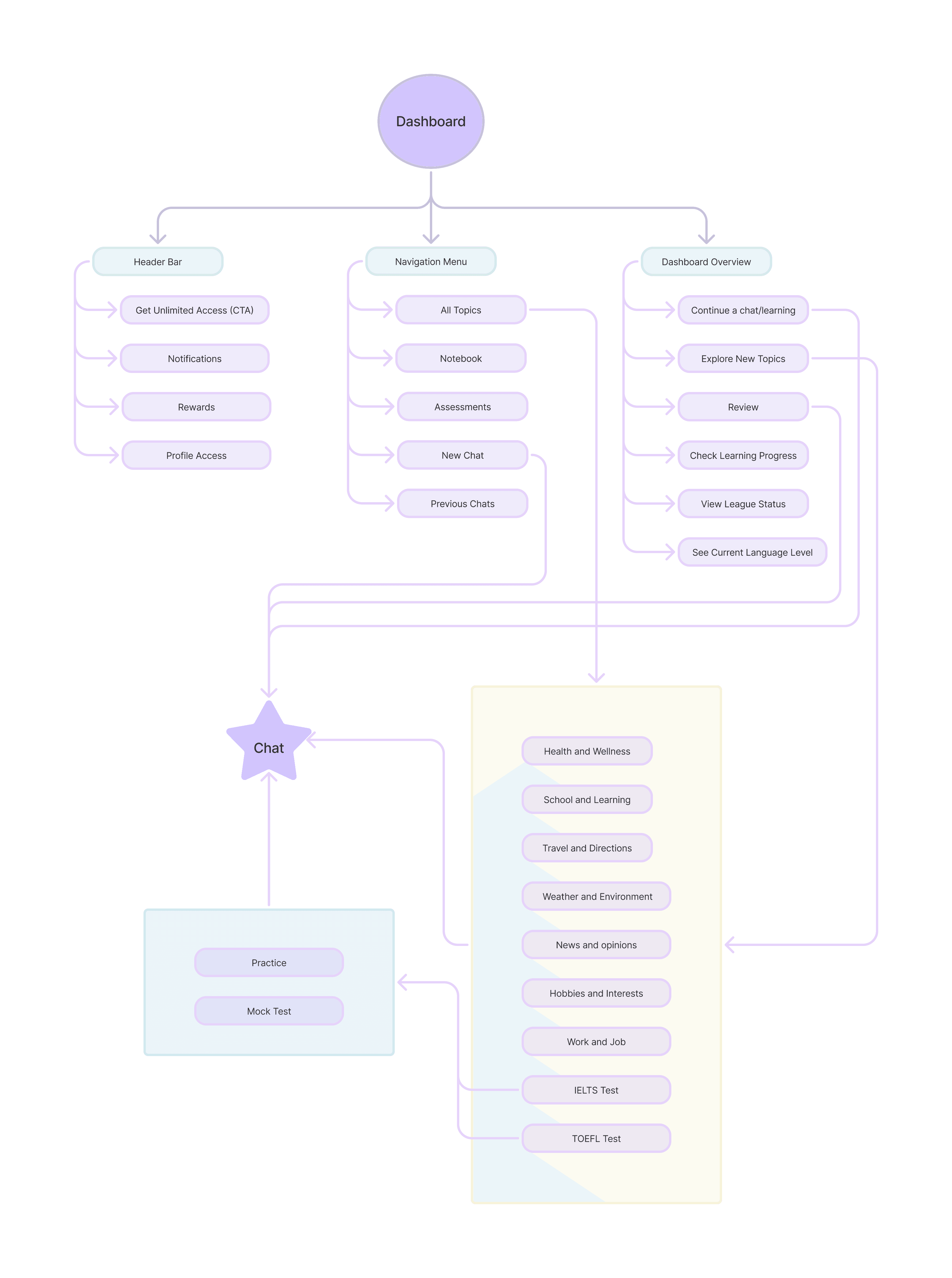
Site Map
I created a site map outlining EduBot’s core structure and key sections.
Wireframes
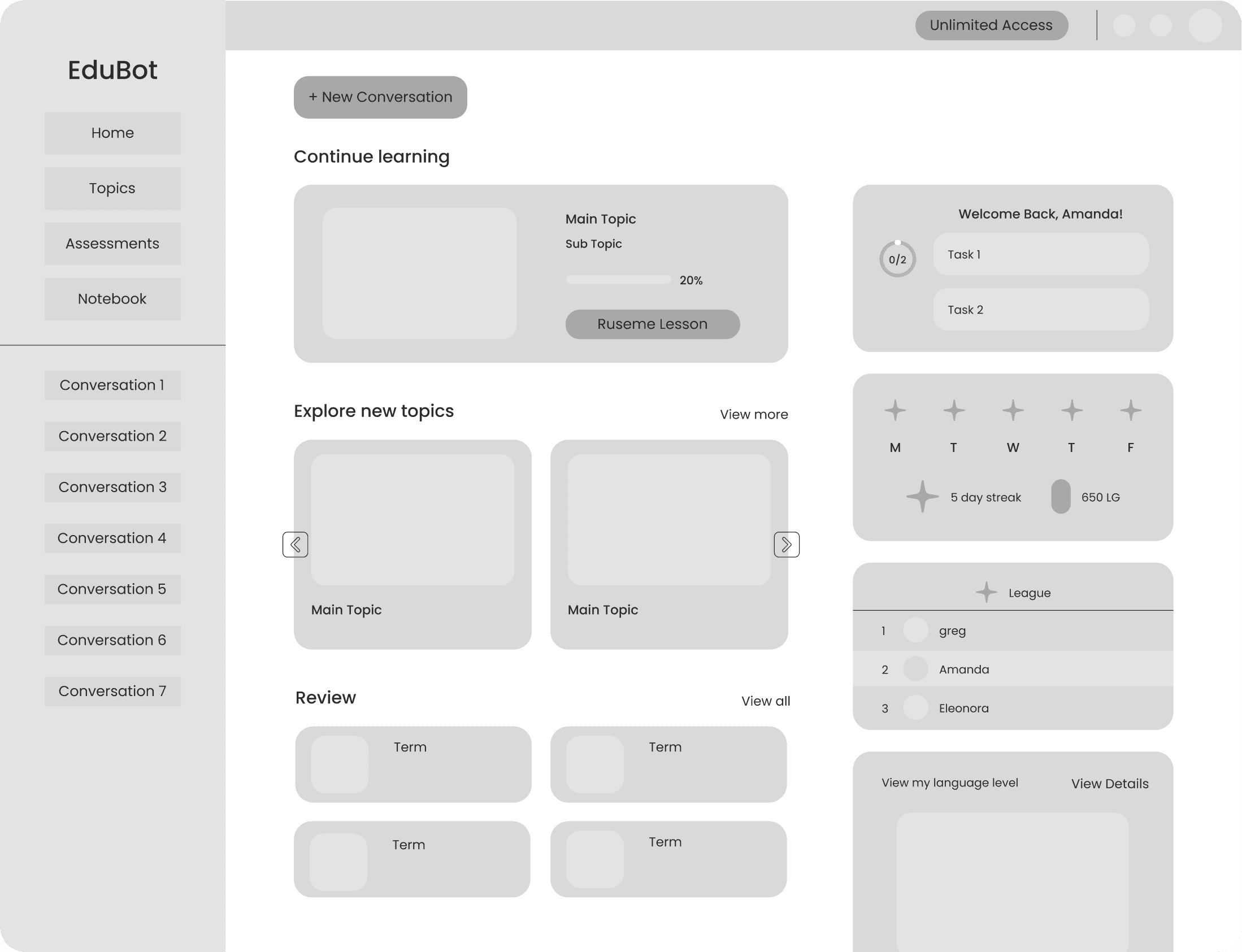
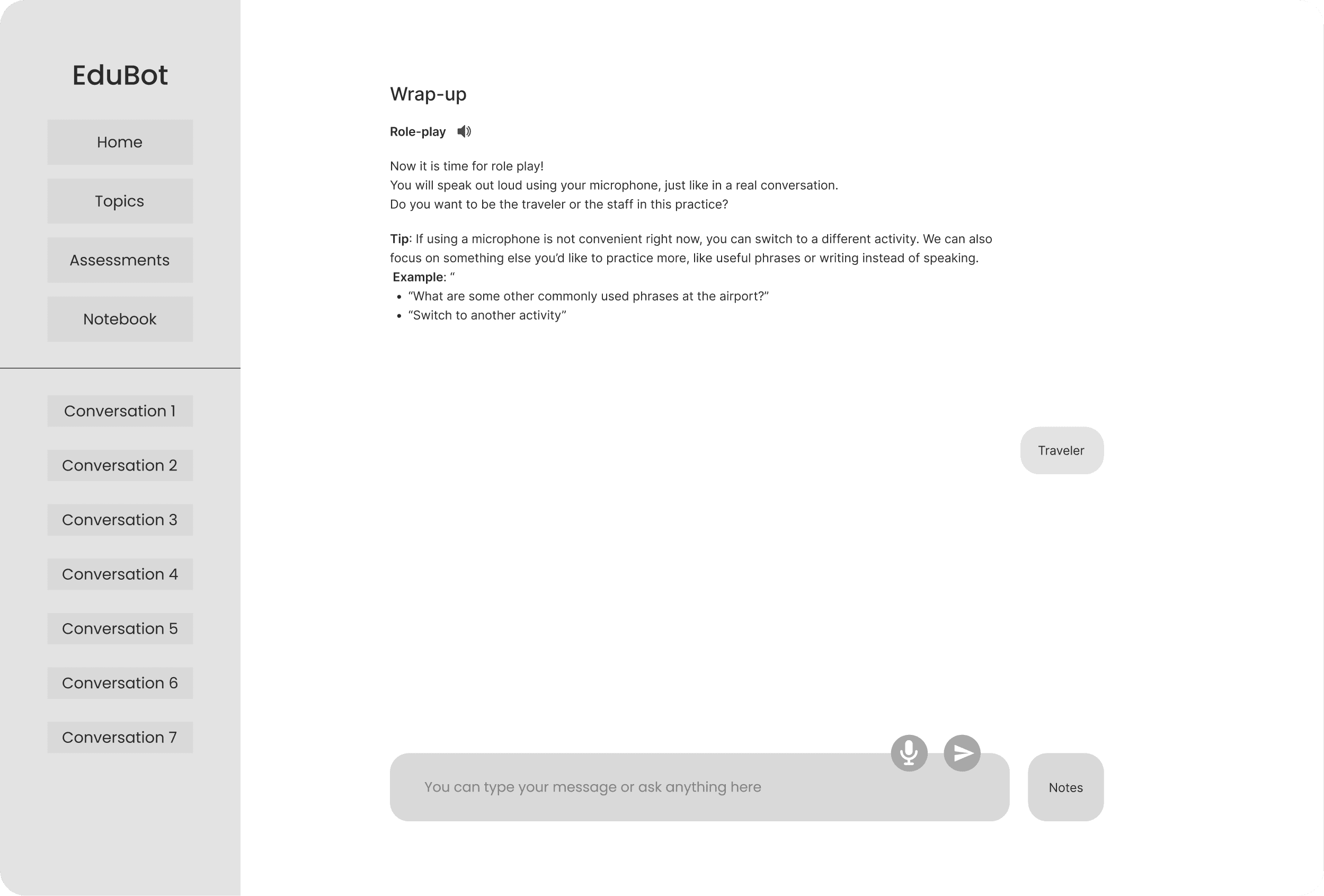
Early Wireframes Used to Align with Stakeholders
I designed these wireframes to visualize and clarify the product direction. I shared them in stakeholder meetings to align on key flows, priorities, and content structure before moving into high-fidelity design.
Usability Test & Iterations
Design Changes after Usability Test
I planned and led a usability test to evaluate dashboard navigation, conversation start, and instruction clarity, then synthesized the findings into actionable design updates and shared them with the team.
01
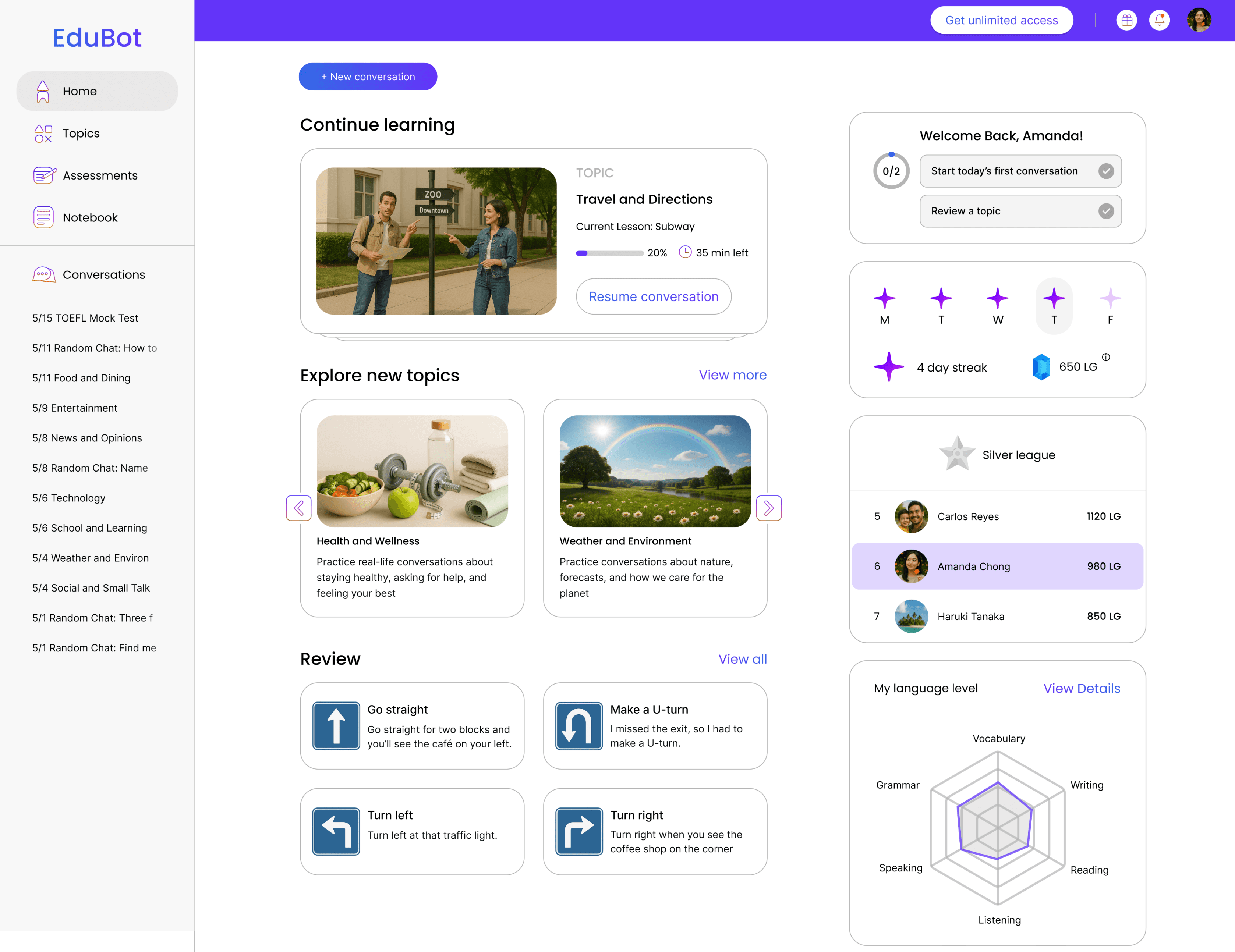
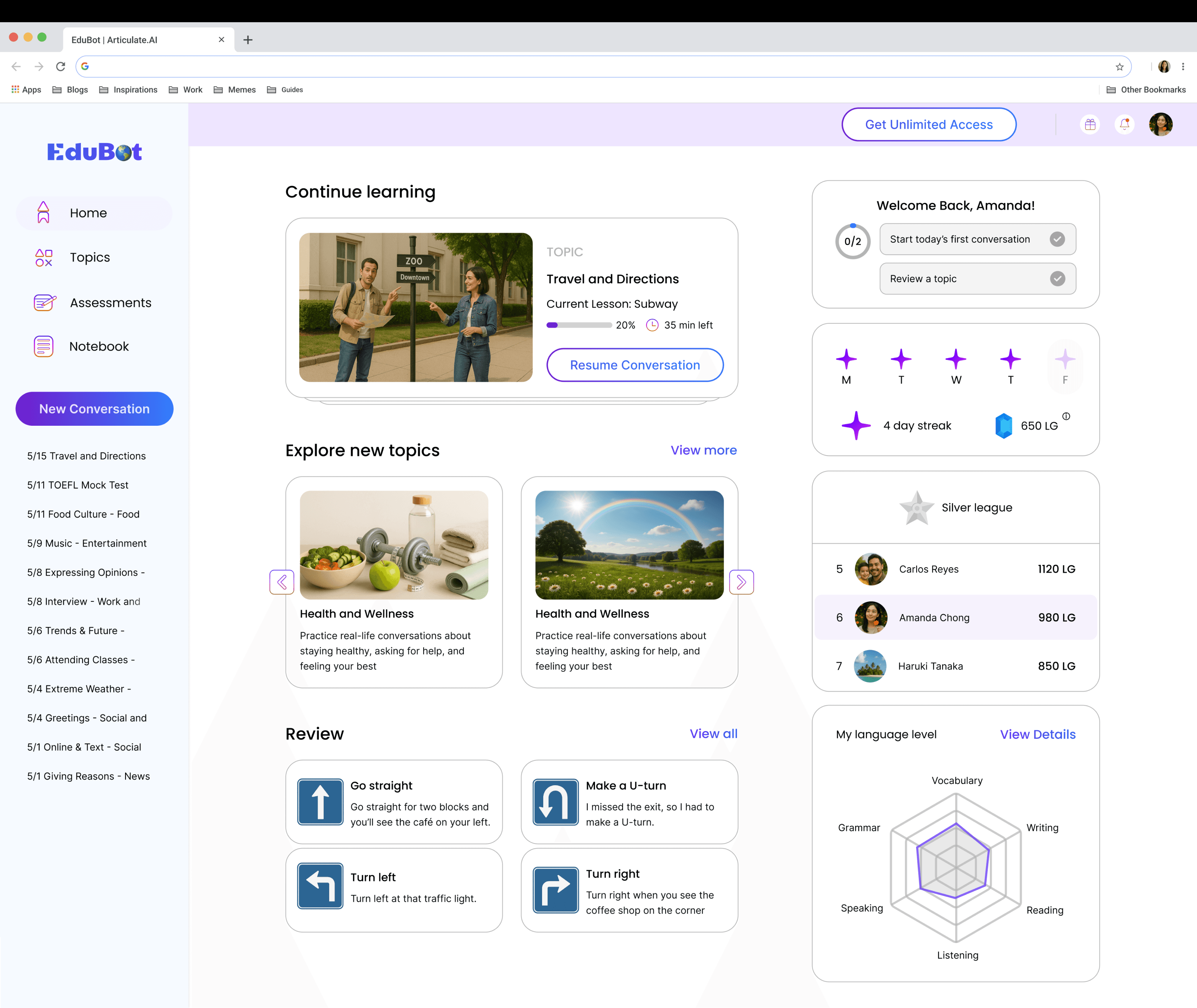
The “New Conversation” button was hidden when users scrolled, causing difficulty starting a session.
After

Fixed the button in the left menu bar, making it always visible.
02
Long bot messages combined lesson, hints, and prompts into one, making it hard for learners to parse.
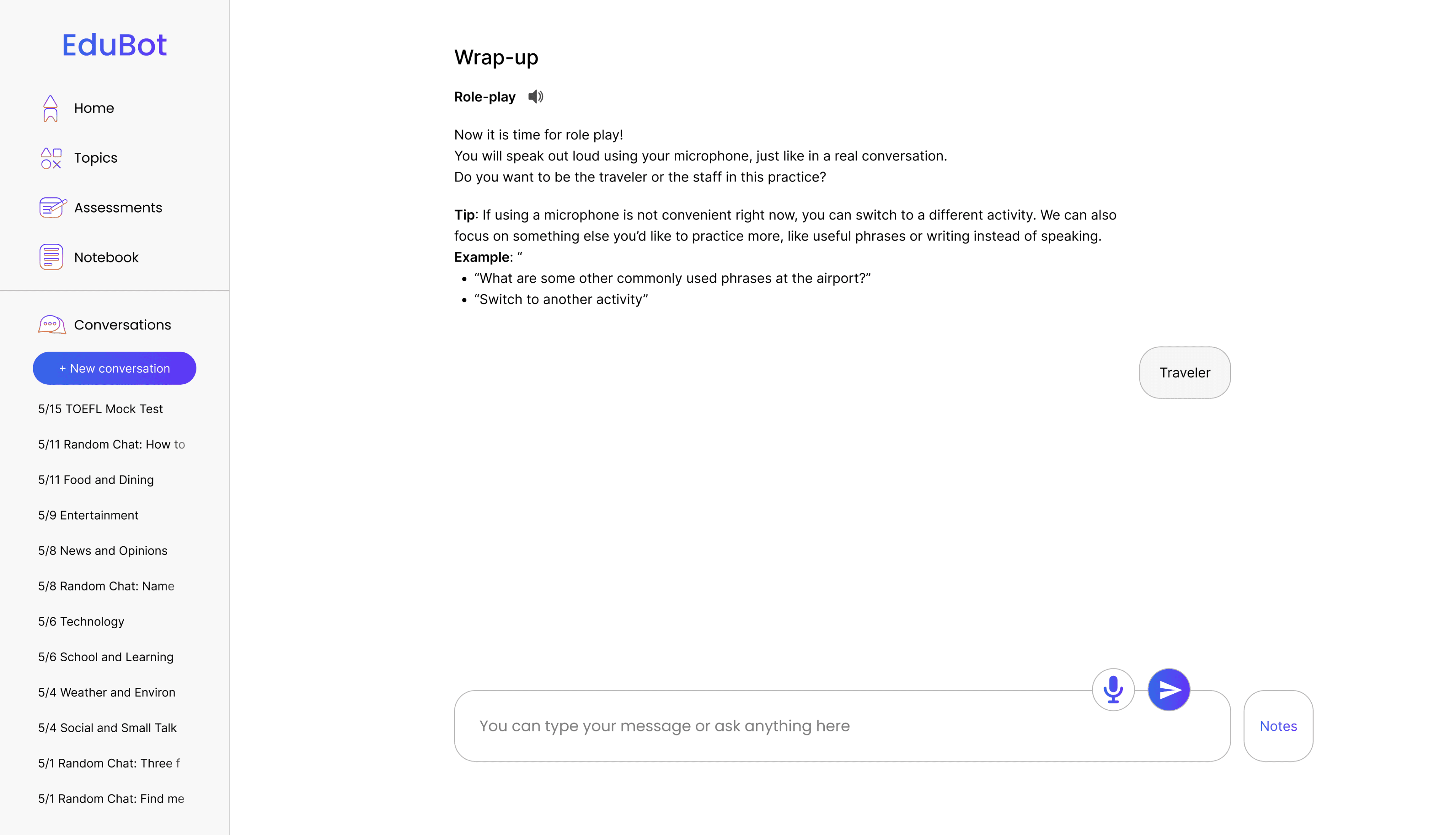
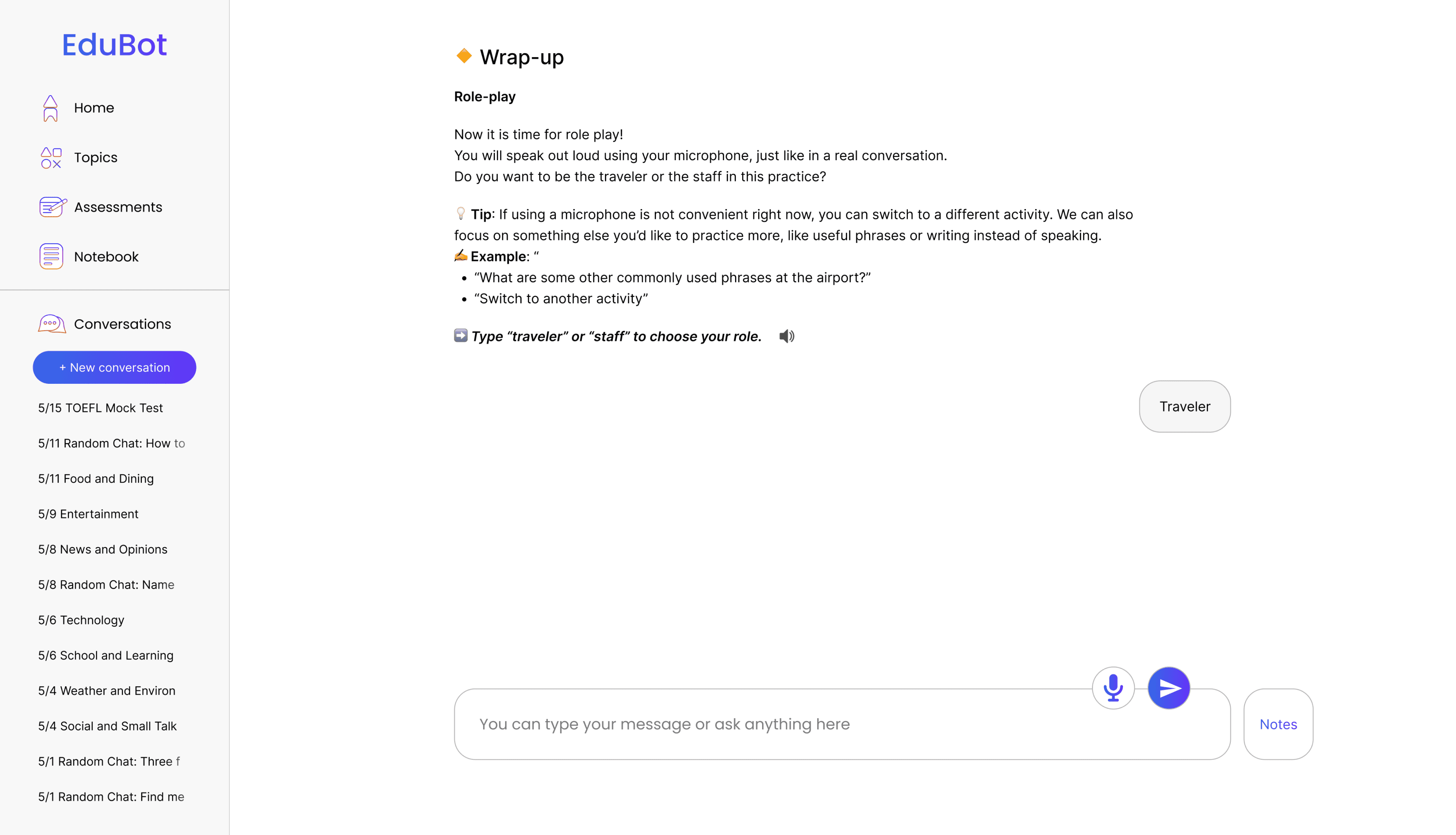
After
Added emojis/icons before each part (lesson, hint, bot question) to visually separate them.
03
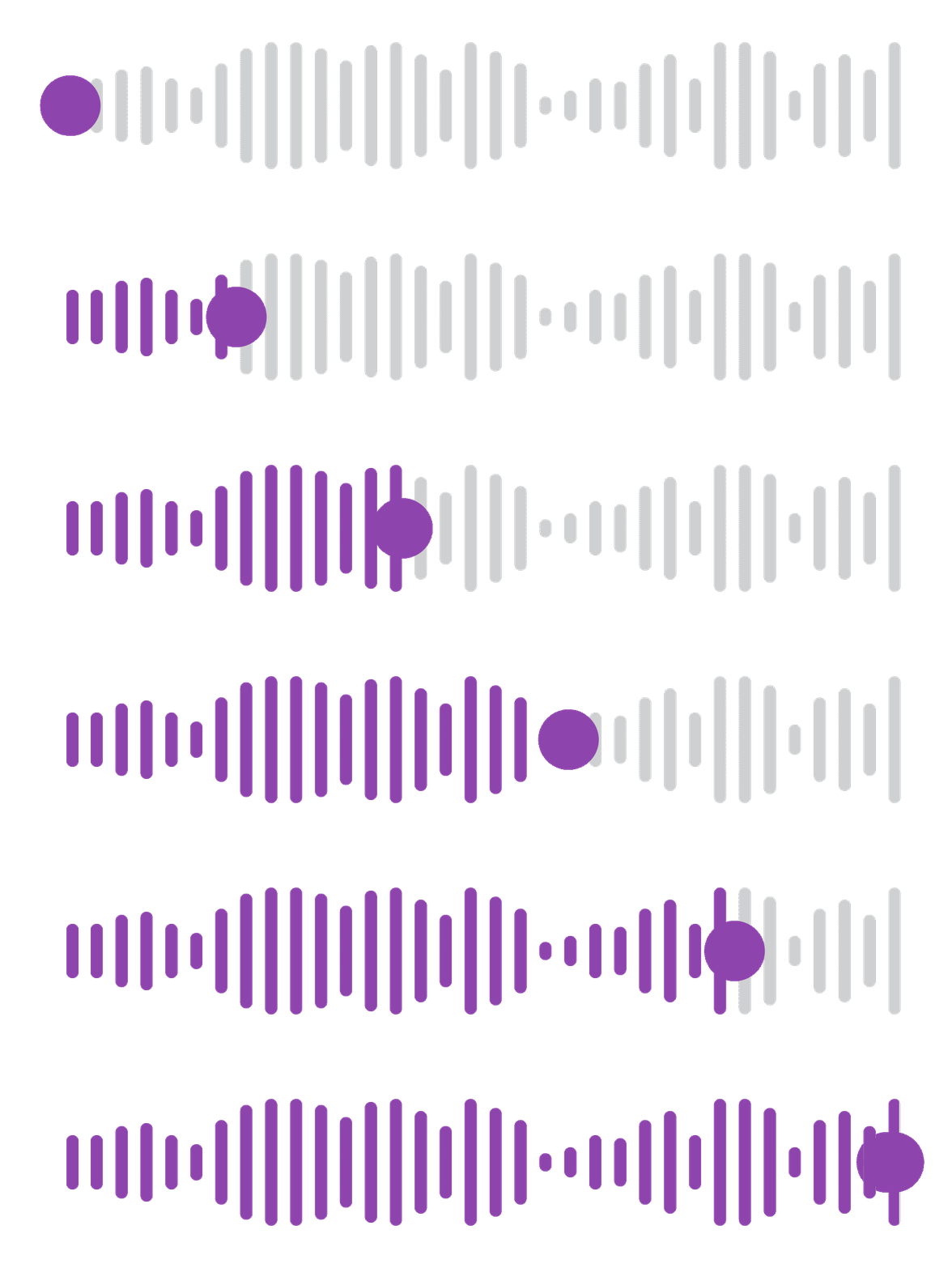
Users struggled to follow along when listening to audio and reading at the same time.
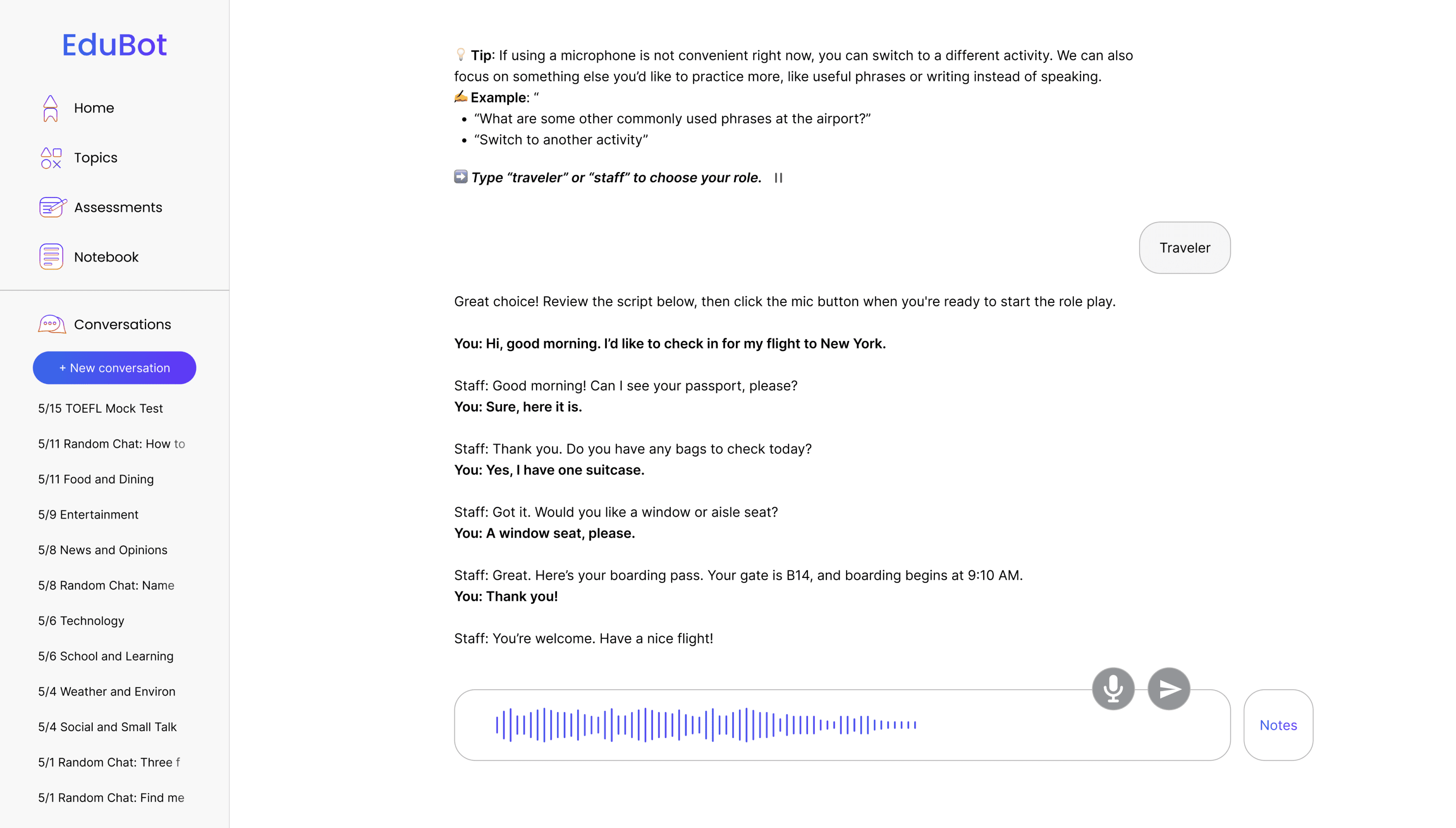

After
Added dynamic text highlight as it’s spoken.
Overcoming a Challenge
Overcoming a Challenge
The Problem
Test also showed EduBot’s feedback felt robotic and discouraging. Mistakes were marked in bright red with only ‘incorrect,’ which made users feel judged rather than supported

How could we design feedback that balances accuracy with the warmth and nuance of human teaching?
Overcoming a Challenge
Approach & Insights
To solve this, I went back to classrooms to observe how teachers gave feedback and how students responded, and I combined these observations with second-language acquisition research. Here are the insights from my study:
01
Tone matters as much as accuracy
Harsh or overly direct corrections can discourage learners.
02
Human teachers mix feedback styles
From explicit correction to gentle guidance and encouragement.
03
Variety sustains engagement
Changing feedback styles helps learners stay engaged.
Overcoming a Challenge
Solution & Impact
I redesigned EduBot’s feedback system by combining supportive visual cues with varied correction strategies to make it feel more like real classroom feedback. Below are the changes I made:
01
Turning Harsh Red into Gentle Guidance
02
Varying Feedback Like a Teacher
User Input:
“Would you like a window or a aisle seat?”
Different types of corrective feedback EduBot gives:
Types of Feedback
Explicit Correction
Repetition
Recast
Metalinguistic
Elicitation
Meaning
Clearly indicating that the student's utterance was incorrect, the teacher provides the correct form
The teacher repeats the student's error and adjusts intonation to draw student's attention to it
Without directly indicating that the student's utterance was incorrect, the teacher implicitly reformulates the student's error, or provides the correction
Without providing the correct form, the teacher poses questions or provides comments or information related to the formation of the student's utterance
The teacher elicits the correct form by asking or pausing to allow learners to correct their utterances
EduBot Feedback
“Good try! The correct way is: “Would you like a window or an aisle seat?”
“Almost! You said “a aisle seat?” (repeating the error with slight emphasis)
“Would you like a window or an aisle seat?”
“Almost there! Before words starting with a vowel sound like “aisle,” we use “an” instead of “a.”
“Nice try! Let’s say that again: Would you like a window or ...?”
Use Case
Best for beginners who need clear, direct correction to avoid reinforcing mistakes.
Useful for raising learner awareness of what they said, without immediately giving the answer.
Great for fluency practice and lower-pressure contexts, where learners can absorb the correct form naturally.
Effective for intermediate to advanced learners who benefit from grammar explanations and rules.
Encourages active problem-solving and works well for learners who can self-correct with a hint.
Overcoming a Challenge
Corrective Feedback in Action
This shows how EduBot provides real-time corrective feedback when users make grammar mistakes, combining visual cues and clear explanations to support self-correction and learning
Reflection
Takeaways
01
Leading the Design Process End-to-End
Owning the entire design process from research to prototype taught me to make independent, evidence-based decisions while staying aligned with business goals. Collaborating with the CEO and engineers helped me turn broad ideas into clear, actionable design directions that moved the product forward.
02
Driving Alignment Through Clear Communication
Without other designers on the team, I learned to communicate design decisions effectively across disciplines, using prototypes, conversation maps, and usability findings to align everyone toward the same user-centered direction. This strengthened my ability to lead discussions and make informed design trade-offs.
What I Would Do Differently
Through this project, I learned that designing an AI tutor isn’t just about building features, it’s about building trust. Many users wanted to learn with AI, but they still needed warmth, empathy, and guidance. In the future, I’d explore how EduBot’s tone and personality could adapt to different learner emotions to make the experience feel more human and supportive.