Safe
Detecting
Detected


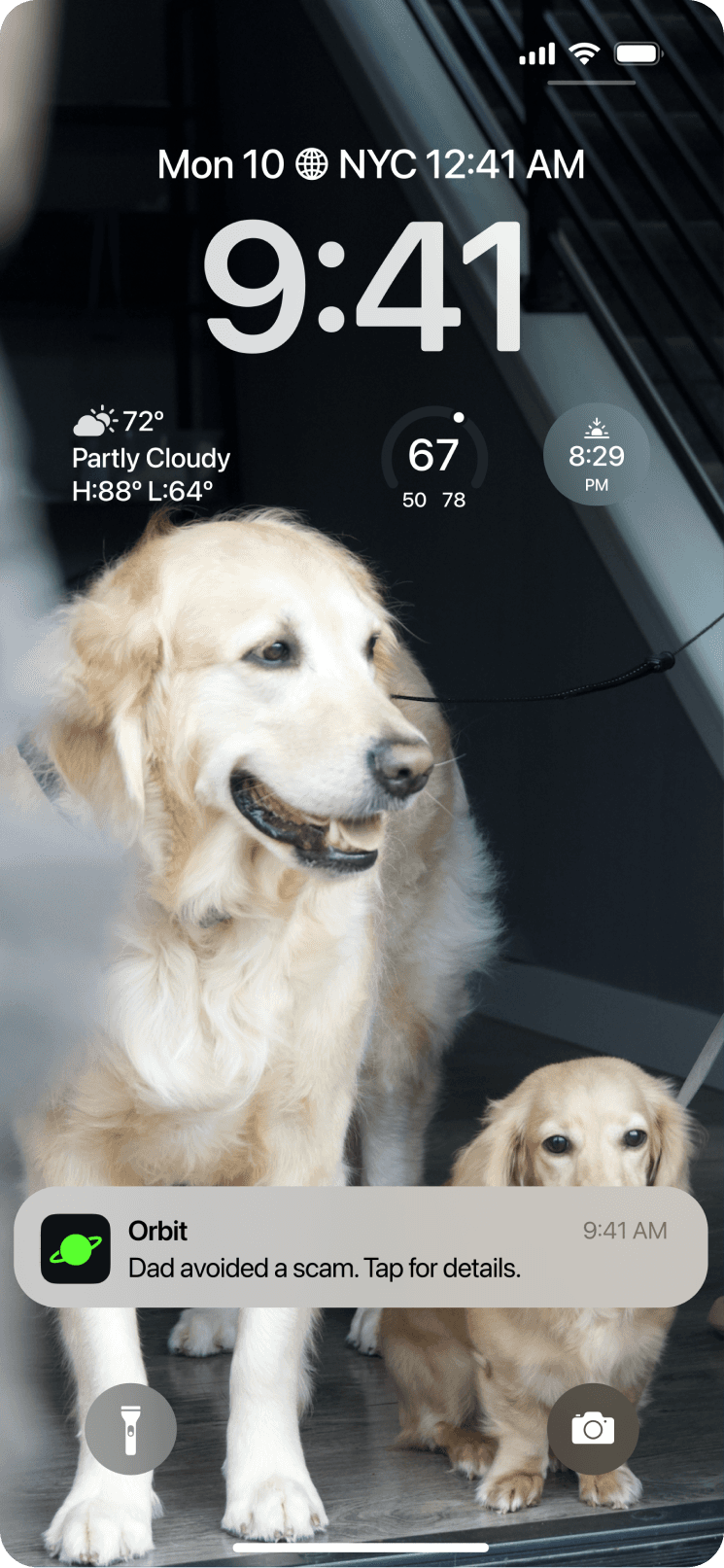
A smartwatch app that detects AI voice-cloning scams in real time and helps families stay connected and protected through shared alerts.
Year
2025
My Role
UX & UI Designer
Lead UX Researcher
Target Users
Older adults and their families
facing evolving AI-driven phishing
scams.
Team
Project Manager
UX Researchers
Designers
Overview
My Contributions
Research & Design Lead
I led cross generational research, designed the core interaction flows, and created wearable prototypes to study how users respond to AI driven scam scenarios. I also shaped key communication moments so the experience stays intuitive for people with different levels of tech literacy.
Problem
As AI-generated phishing scams become harder to detect, older adults and their families struggle to recognize threats, share information, and stay protected across varying levels of tech literacy.
Context
The rising threat of scams in the U.S.
Americans over the age of 60 lost $3.4 billion to scams in 2023, an 11% increase from 2022.
💸
💸
💸
💸
💸
💸
💸
💸
💸
💸
💸
💸
💸
💸
💸
💸
💸
💸
💸
💸
💸
💸
💸
💸
💸
💸
💸
💸
💸
💸
💸
💸
💸
💸
💸
💸
💸
💸
💸
💸
💸
💸
💸
💸
💸
💸
💸
💸
💸
💸
💸
💸
💸
💸
FBI's 2023 Elder Fraud Annual Report
Nearly 1 billion emails were exposed in 2021, affecting 1 in 5 internet users.
Target Users
Older adults with lower tech literacy and the family members who help them stay safe from evolving phishing scams.


Target Users
01
Older Adult

Linda
Age: 72
Lives alone, communicates with family mostly by phone.
Teach Confidence
Low
Pain points:
Easily pressured by urgency
Struggles to tell real calls from AI generated voices
Unsure how to report scams
Goals: They need simple, immediate guidance that helps them recognize suspicious calls without relying on high tech knowledge.
Target Users
02
Adult Child

Abby
Age: 32
Works full time, wants to watch over aging parents from afar.
Teach Confidence
High
Pain points:
Cannot always pick up the phone
Worries parents cannot tell real calls from scams
Limited visibility into what actually happened
Goals: They need clear visibility into potential scam incidents so they can support and protect their parents even from a distance.
Desired Outcomes
Building Safety, Awareness, and Action
01
Prevent and Protect Users:
Safeguard individuals from AI voice cloning phishing scams by detecting and alerting them to potential threats in real time.
02
Educate Through Data Sharing:
Share detailed data with family members to raise awareness and educate them about the latest phishing scams and tactics.
03
Report Scams with Evidence:
Provide a seamless way to report scams to authorities in real time, including critical evidence for swift action.
User Emotion Map
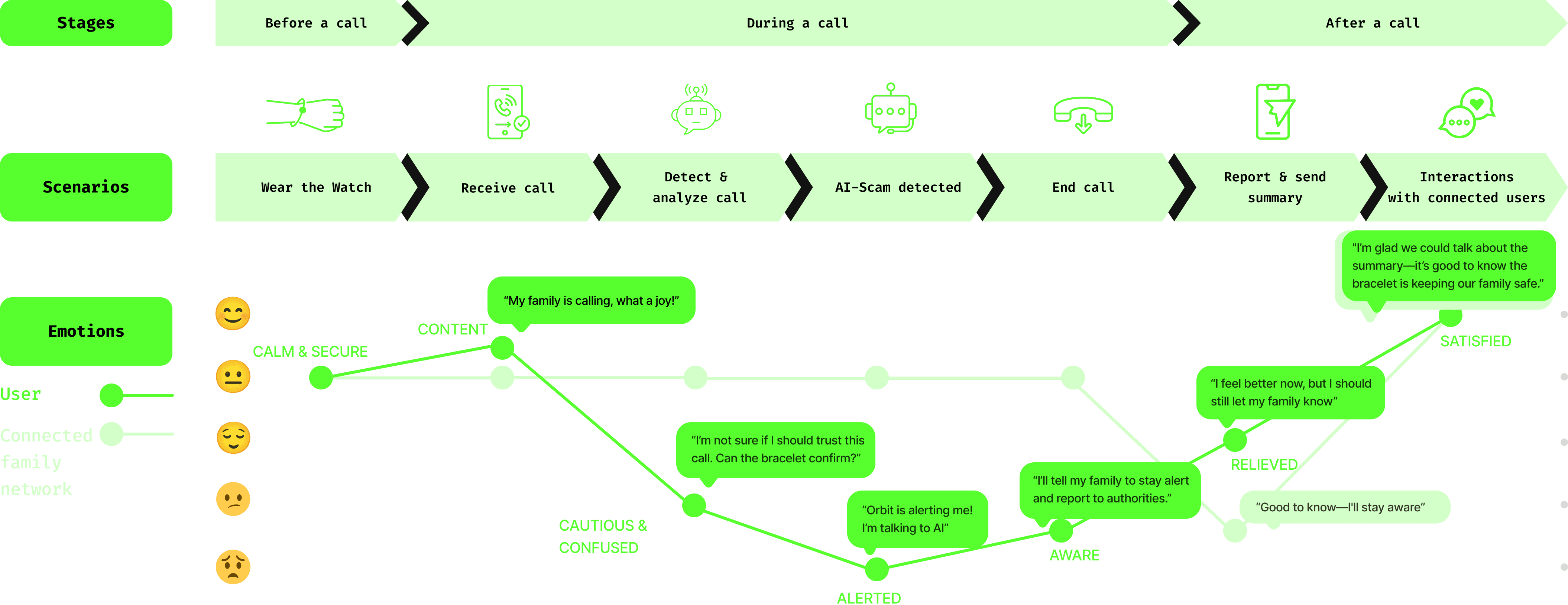
How emotions shift during a scam event
I created this emotion map to understand how phishing incidents affect each person involved and to visualize how Orbit shapes their emotional experience. The map illustrates two emotional trajectories, one for the user receiving the AI call and the other for the connected family members when they receive an alert, along with how their emotions shift as they use Orbit.
Solution
Orbit: real time protection against AI voice scams
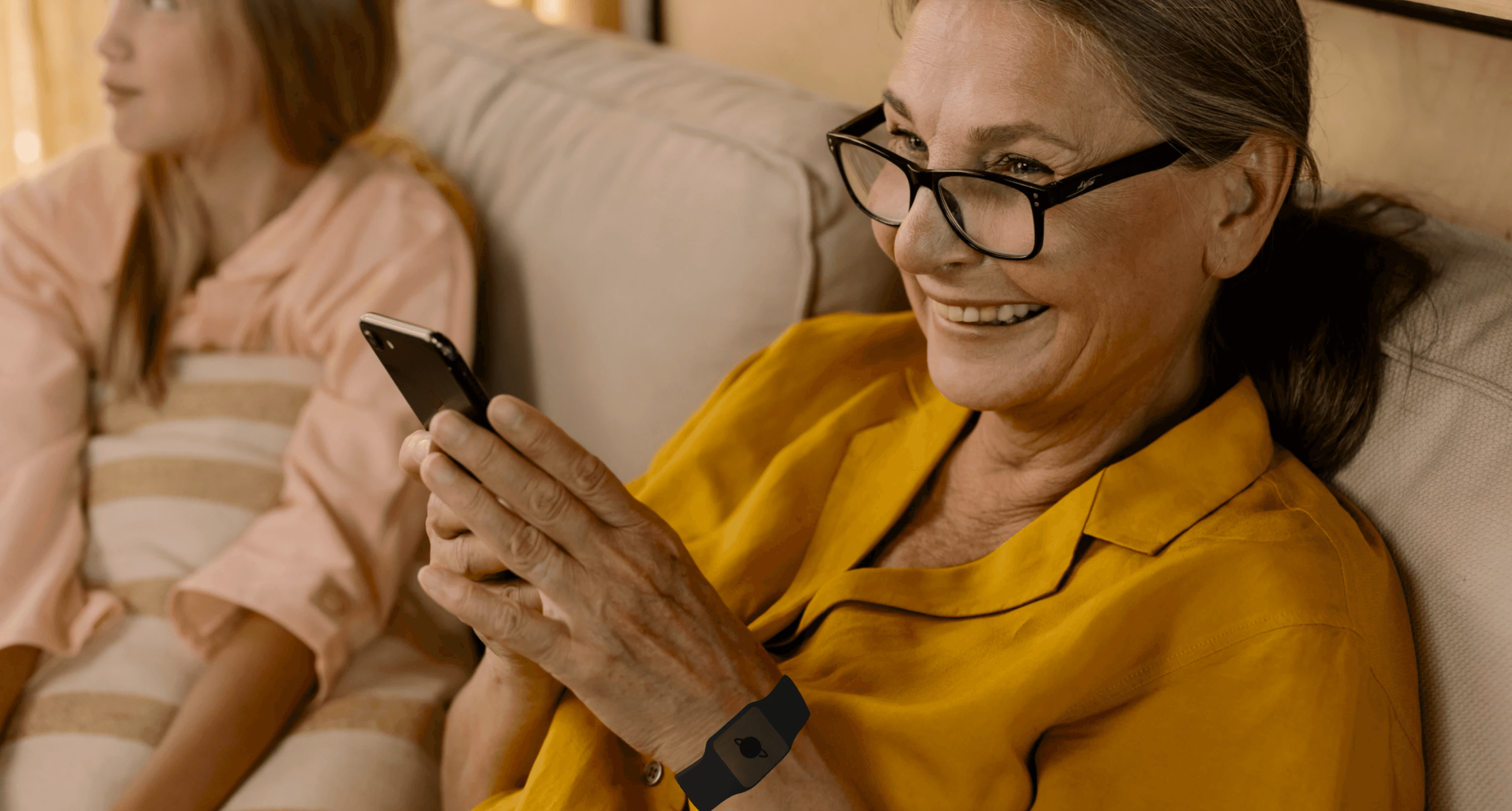
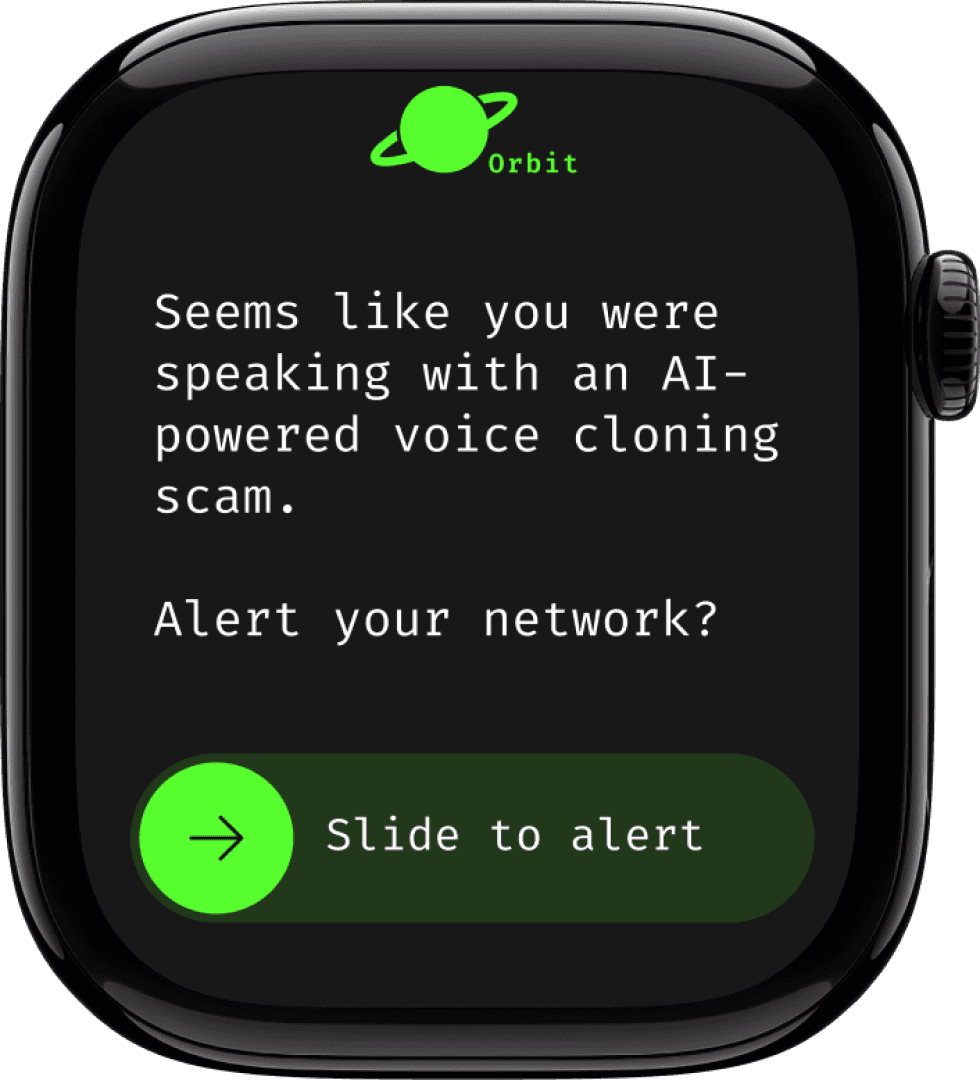
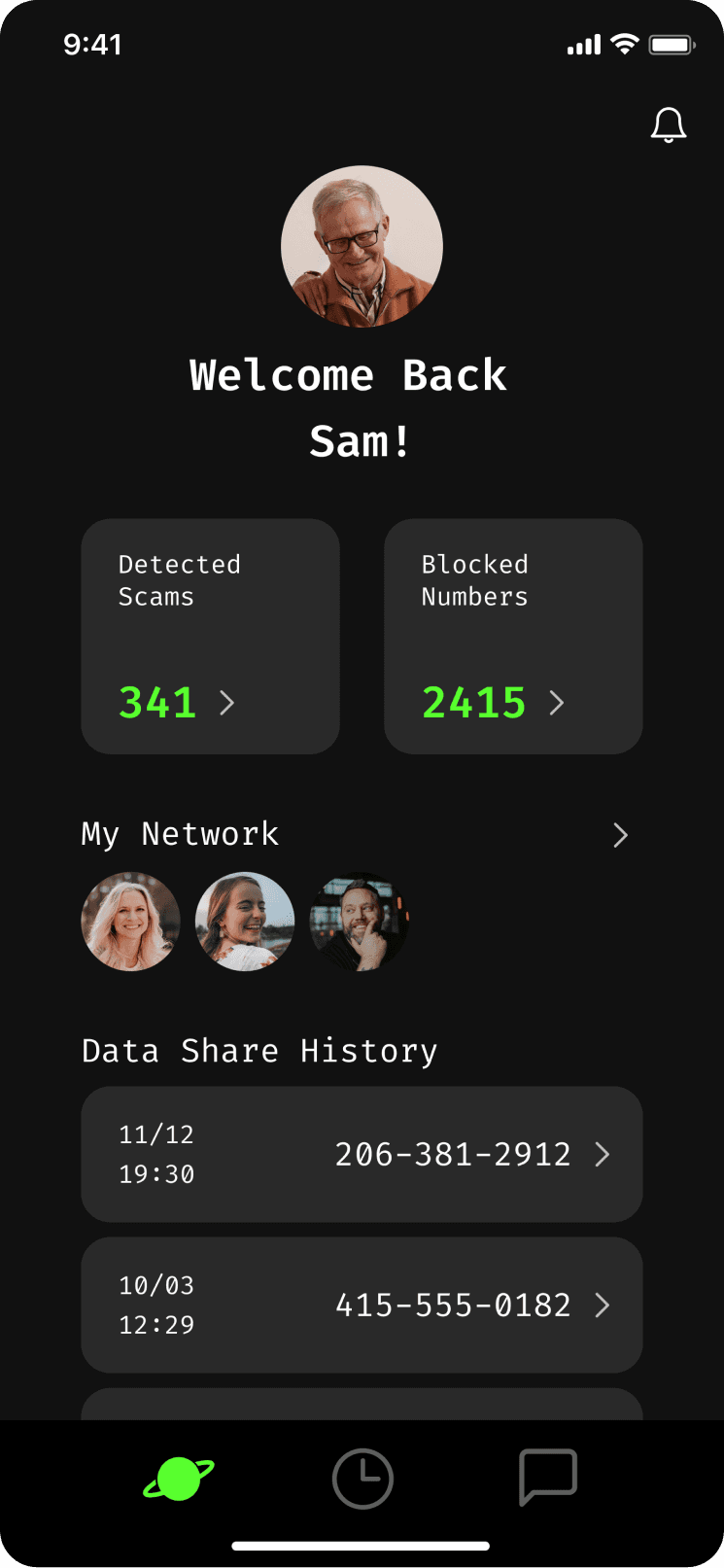
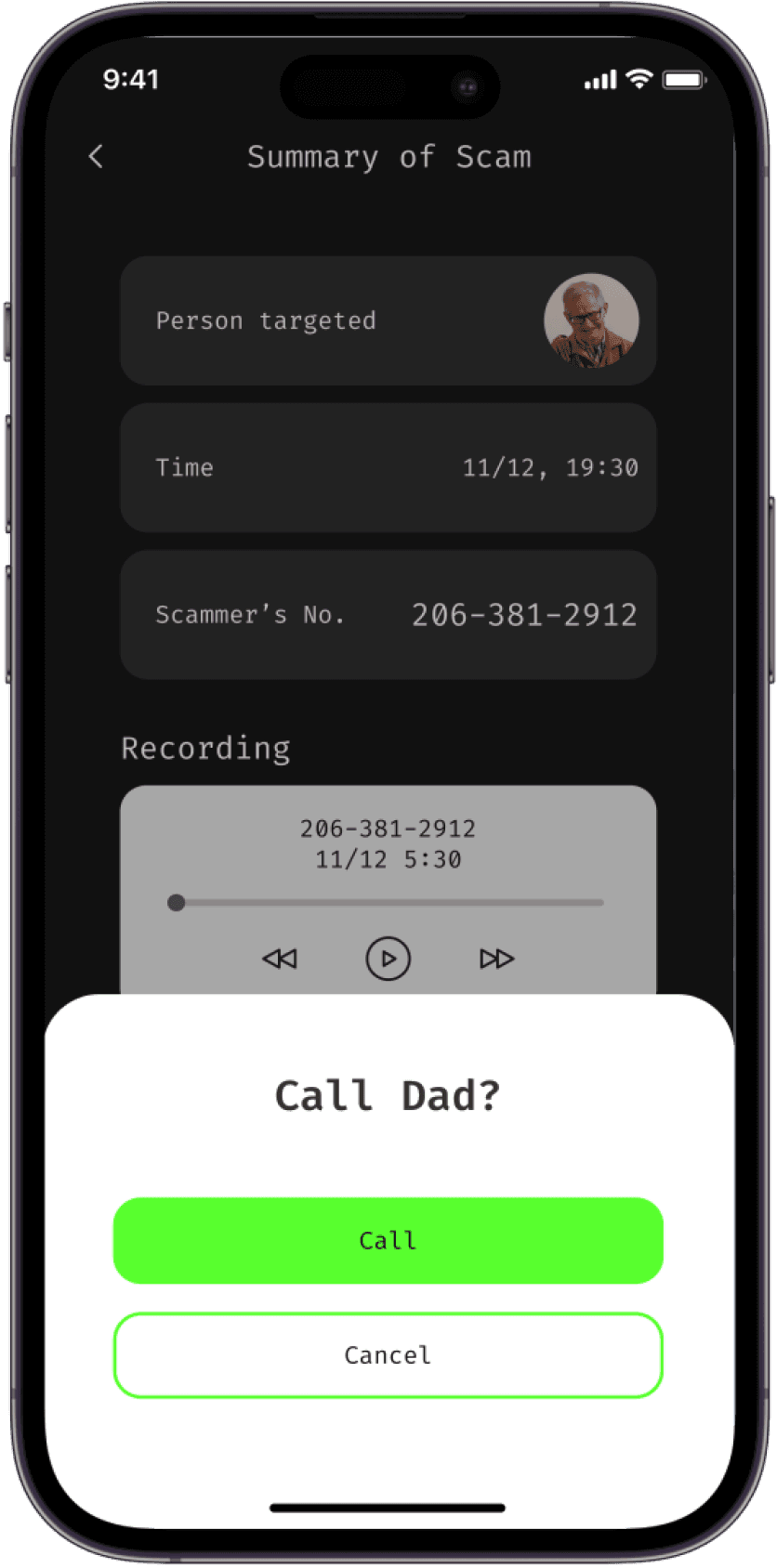
Orbit, powered by Ircam Amplify’s AI Speech Detector Model, combats AI voice cloning scams by detecting voice anomalies, flagging suspicious activity, and alerting trusted contacts. It ensures digital security with customizable settings and incident reviews.
Design Process
Research & User Tests Summary
Understanding how different generations recognize, navigate, and respond to evolving phishing scams
I led our research by conducting interviews, social polling, and user tests with both younger adults and older adults age 65 plus. I also analyzed secondary sources and spoke with key stakeholders to understand how different generations detect and respond to phishing scams. These insights shaped our problem framing and guided our design decisions.
Conduct 4 interviews with younger generations
Conduct 6 interviews with adults age 65+
Understand how both older and younger adults navigate technology to detect phishing scams, addressing a growing concern in cybersecurity.
Understand current state of phishing scams, prevention methods, phishing tactics and possible future evolution
Conduct 3 semi-structured interviews
Social media polling
Desk Research: news articles, blogs, existing resources for phishing scam protection
Does the user understand our design concept and does it address major pain points?
How do younger generations interact with it?
Iterated design based on feedback
How do older generations interact with it?
Digital security professionals
Tech-savvy family members
Older adults age 65+
Method
Primary Research
Secondary Research
User Tests - Young
User Tests - Senior
Why?
Key Stakeholders:
Research Insights
Key insights surfaced through user interviews and structured synthesis
I led the research process by writing the research plan, recruiting and interviewing participants, and guiding my teammates through affinity mapping sessions. I synthesized our findings into clear insights that revealed cross generational pain points and shaped our design direction.
“They'll pretend that they are someone that you've known for years” -P3
“My mom has been defrauded three times.” -P2
“He said my computer would crash if I didn’t fix it.” -P1
“We have taken over all of her banking, and make payments on her behalf” -P2
“She [Participant’s mom] got upset each time that ‘these nice people’ could lie so well” -P2
Building Trust Through Familiarity
Scammers leverage the principle of “familiarity” to establish a sense of trust, making their scams appear more credible and convincing to the victim.
Creating Panic Through Urgency
Scammers exploit “urgency” to create a sense of panic, pressuring victims to act quickly without questioning the legitimacy of the situation.
Exploiting Low Tech Literacy
Scammers take advantage of low technological literacy to confuse and mislead victims, making it harder for them to recognize and avoid scams.
Design Challenge
Turning insights into a design challenge
Based on our research findings, I proposed a design challenge and aligned it with the team to guide our design principles and concept brainstorming.
How might we leverage trust within families, across varied levels of tech literacy, to create a shared learning experience that helps everyone recognize and avoid AI voice cloning phishing scams?
Ideation
Brainstorming Sketches
Each team member brainstormed around 35 ideas through quick sketches. We then shared and discussed them to identify promising directions for concept development.
Design Principles
Principles that guided the design decisions
I developed these design principles by translating our research insights into clear priorities for the team. I worked closely with my teammates to align on what users truly needed, and these principles became the foundation that guided our decision making and kept the design direction focused and consistent.
Create an inclusive environment
Establish a welcoming space where all family members to feel valued and supported.
Fostering interactions within families
Encourage meaningful connections between family members by designing opportunities for shared experiences and conversations.
Education that evolves in real time
Implement adaptable learning resources that respond to changing phishing scams, ensuring relevant and continuous growth.
Design & Iterations
User Testing Round 1
Evaluating early watch interactions and users’ responses to light based alerts
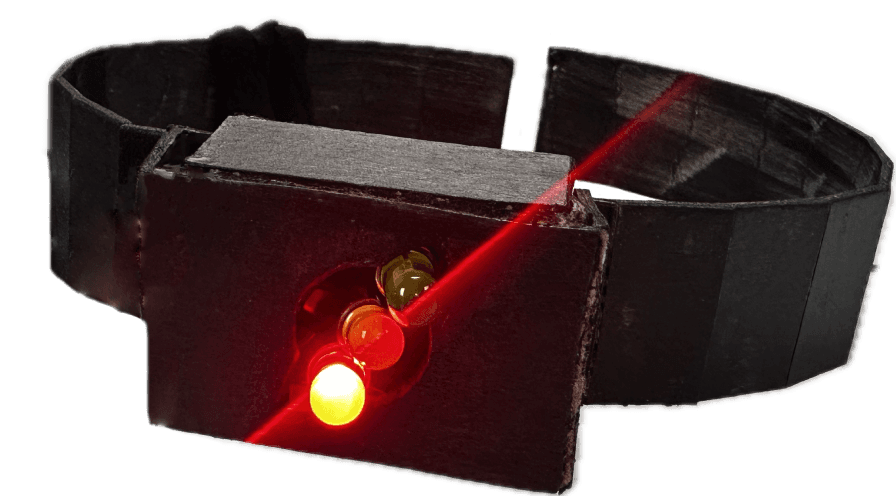
For our first test, I created a watch prototype with three light indications: green for safe, yellow for detecting, and red for AI detected. I designed a test plan and tested these signals with older adults to understand how intuitive the colors felt, how they interpreted each state when paired with phone screens, and how comfortable they were with wearing a watch for scam detection. These observations guided our next design iteration and shaped how Orbit communicates urgency and safety.
Real-Time AI Detection
Family Sharing & Incident Report
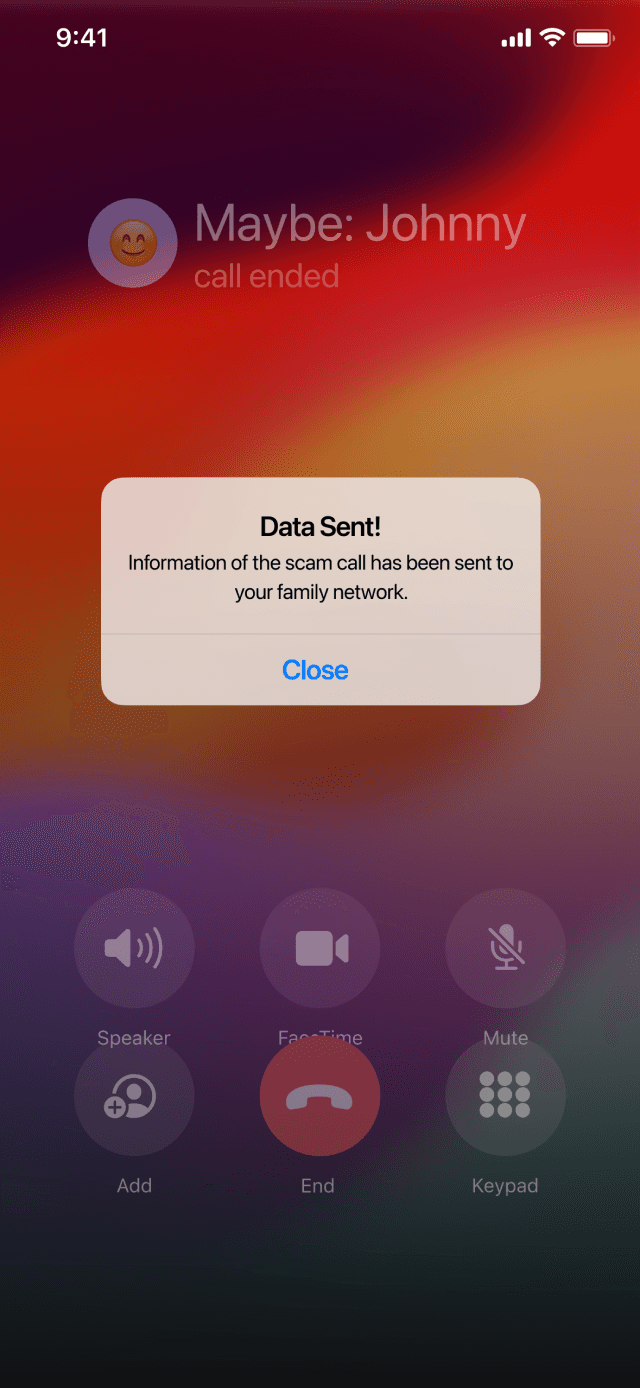


Real-World Scam Awareness
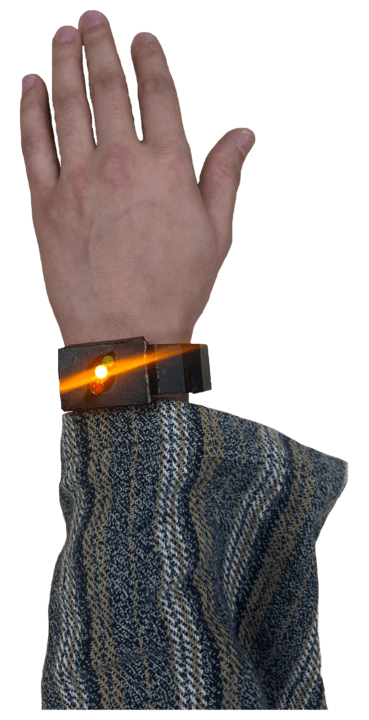
User Testing Round 1 - Process and Insights
Testing real interactions through a live Wizard of Oz setup
We used a Wizard of Oz approach to test Orbit with residents in a senior living community, allowing us to simulate real time alerts and responses. I led the entire test process, from facilitation to in the moment adjustments, and worked with my teammates afterward to analyze the results. Together we identified key insights about how older adults interpret signals, react under pressure, and move through the experience in a realistic context.
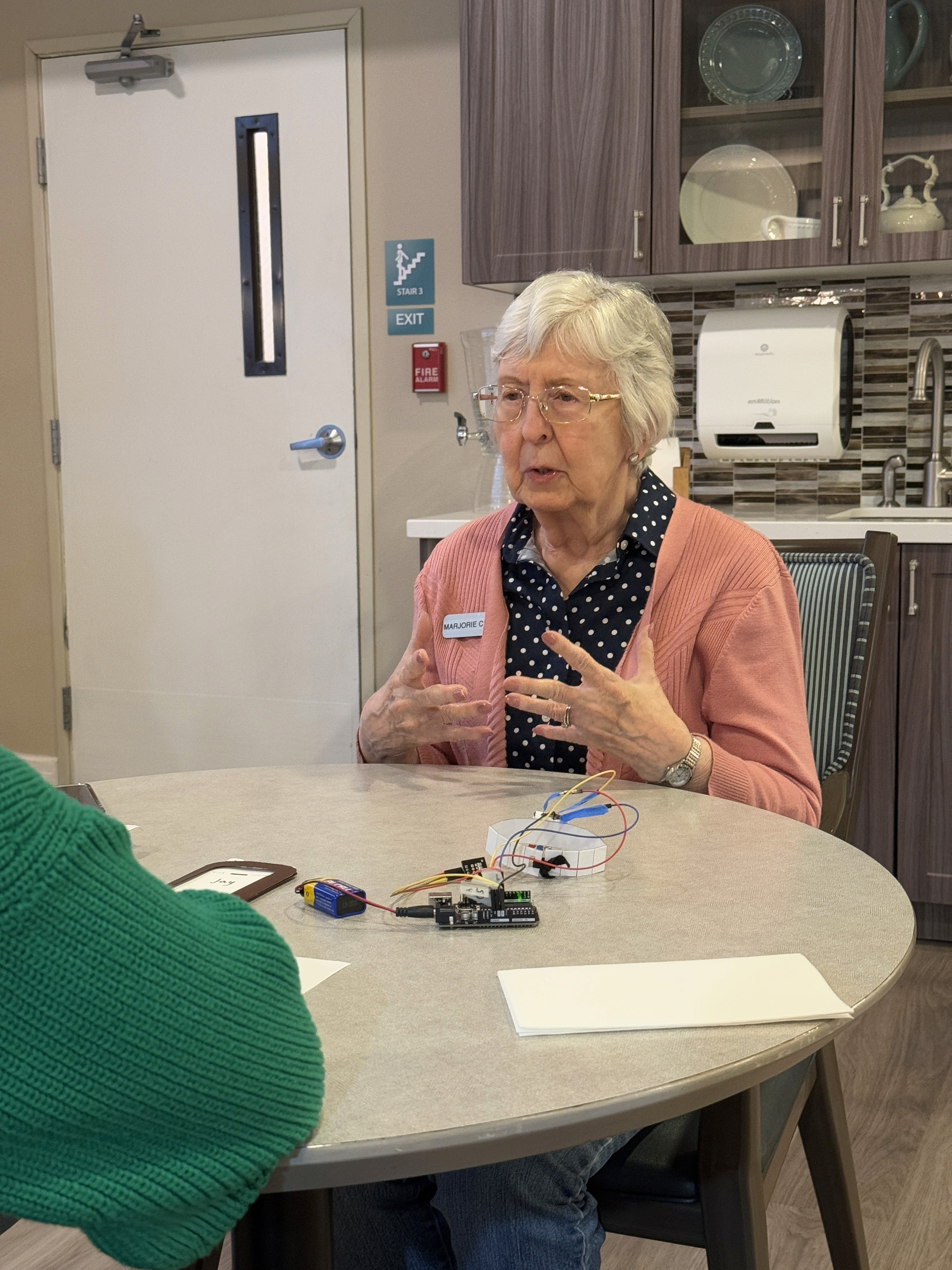
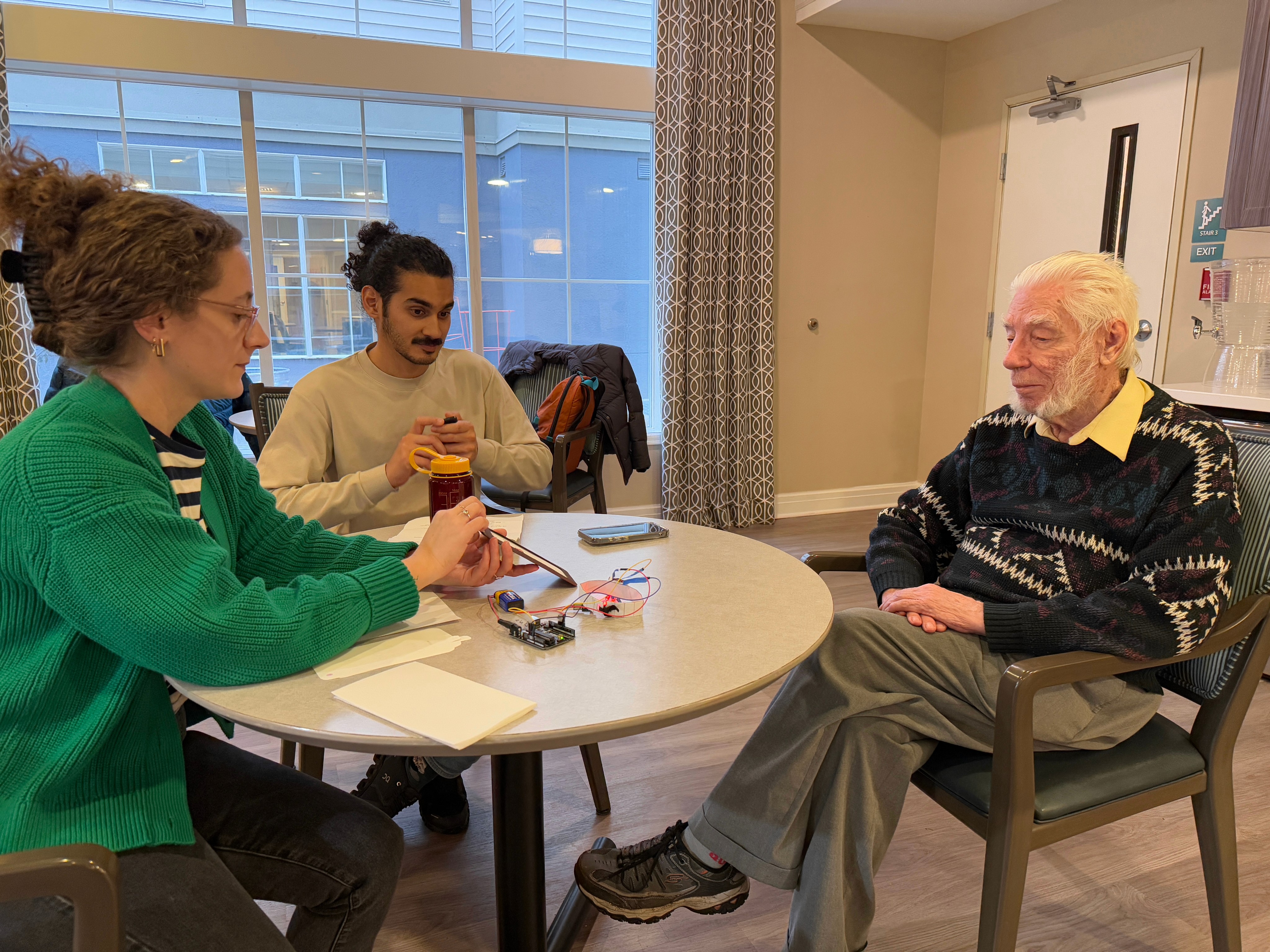
Users want to understand how to report scams to the proper authorities
Multiple people expressed the desire to have a way to report a potential scam to an appropriate government official, but were unsure about the best way to do so.
A key element of feeling protected against scams includes open communication and sharing information with family and friends.
All of them expressed that they would want to connect with family and close friends after they or someone they know experienced a scam, in order to check in and make sure everything is okay.
Wearing a smart watch helps users detect scams even when they aren’t looking at their phone.
The smart watch format for our wearable device made sense to our users, who said they’d prefer that over a ring or a phone application on its own.
Design Challenge
Balancing user autonomy with family safety
Users wanted control over when to share a suspicious call, while our earlier design pushed automatic reporting for safety. The challenge was to create a flow that respects user choice without reducing family awareness when it is needed.
By shifting from automatic reporting to user-controlled sharing, the new flow respects personal boundaries while still supporting family safety, increasing overall trust and adoption likelihood.
Before
After
Red alert triggered
System auto shares with family
User reviews call summary
User chooses what to do next
Share with family
Save only for myself
Smart Share
Report to authority
Auto prompt to report
Users feel pressured
Additional case details coming soon...